

Contact forms & newsletter
Two small optional modules. Both can be switched off under System → Modules.
| Screen | Route | Minimum role |
|---|---|---|
| Contact inbox | /admin/contact-submissions | Editor |
| A single submission | /admin/contact-submissions/{id} | Editor |
| Newsletter subscribers | /admin/subscribers | Editor |
Contact forms
With the module on, /contact serves a form and submissions land in an inbox rather than only in your email.
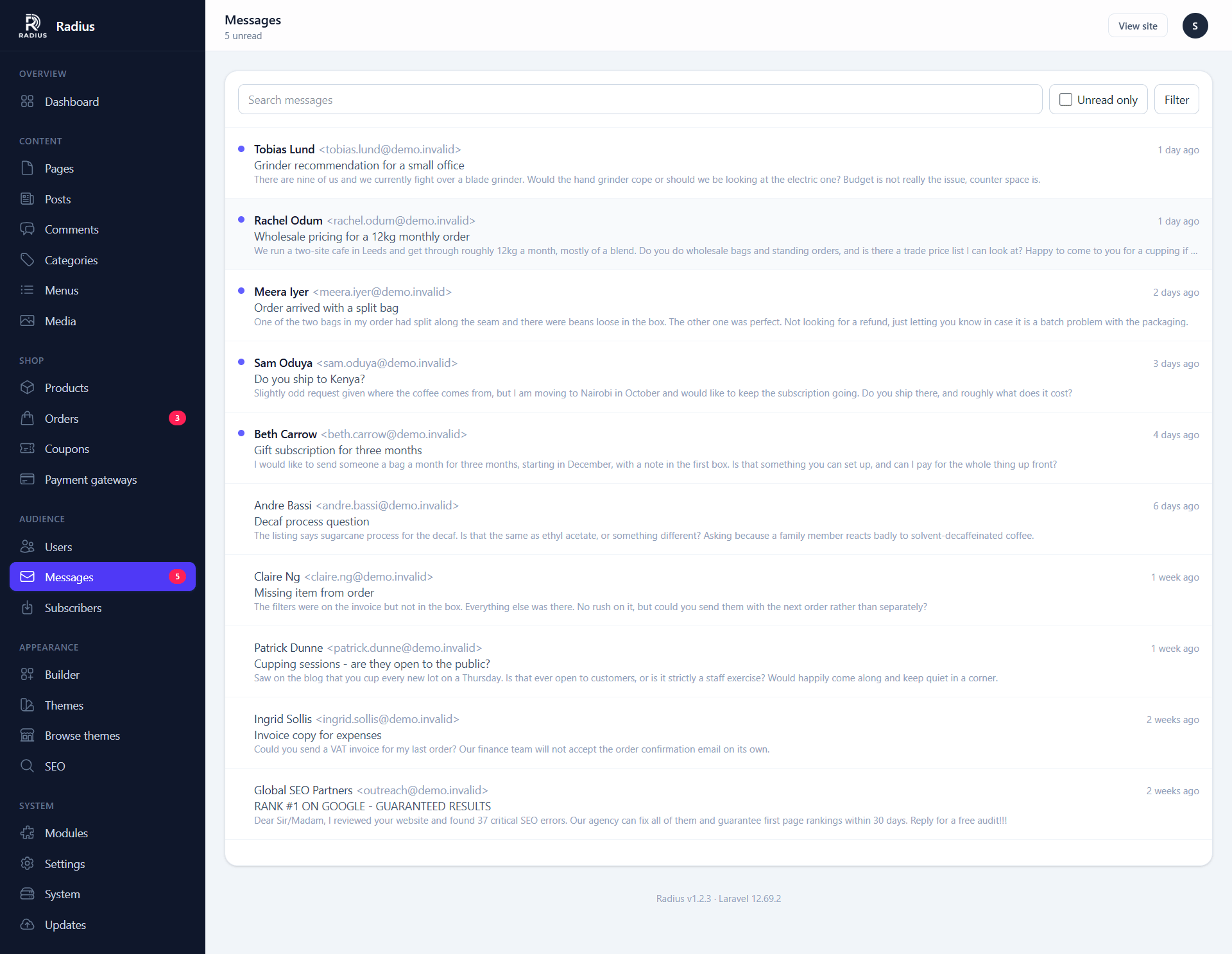
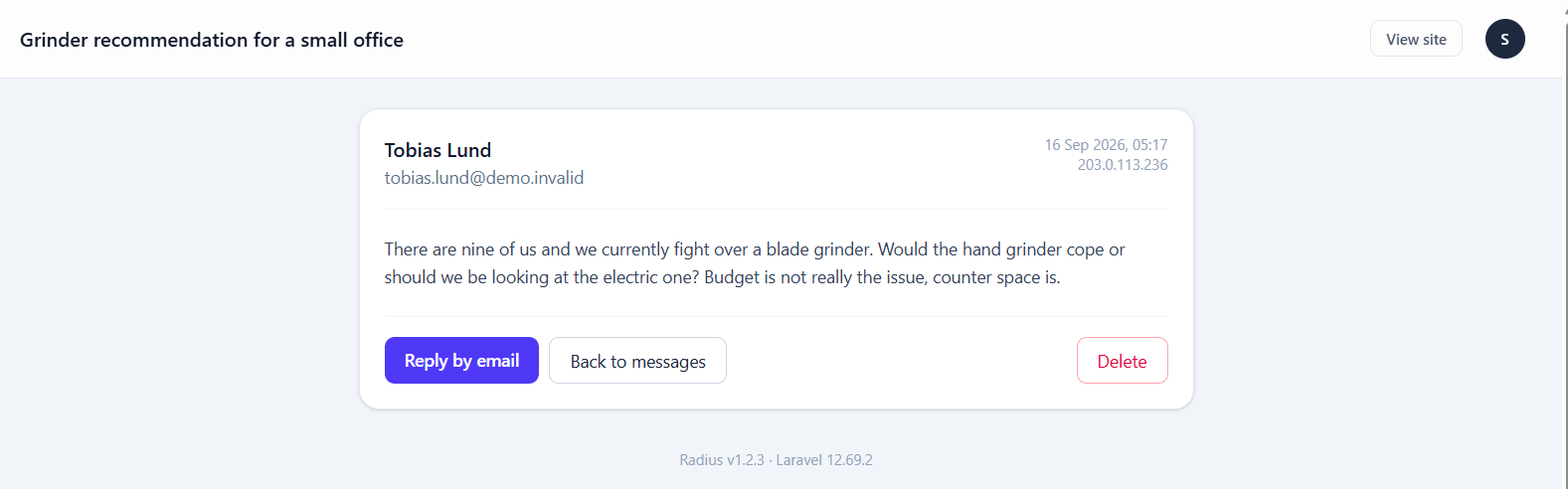
Keeping submissions in the database matters more than it sounds: if your mail provider is misconfigured, or a notification lands in spam, the enquiry is still here. A form that only sends email loses everything during an outage you did not notice.
Where the notification goes
Settings → General → Contact email. If that is empty, notifications go to the first administrator account.
Spam
Submission is rate limited to five per minute per visitor. For anything worse than that, turn on reCAPTCHA v3 under Settings → Advanced — it applies to the contact form, the newsletter form and registration together.
Putting the form somewhere else
The form is also a builder widget, so you can drop it onto any page rather than sending people to /contact. See Widgets.
Newsletter
Subscriber capture and CSV export. Radius stores the list and hands it to you — it does not send campaigns. Use your existing email platform for that.
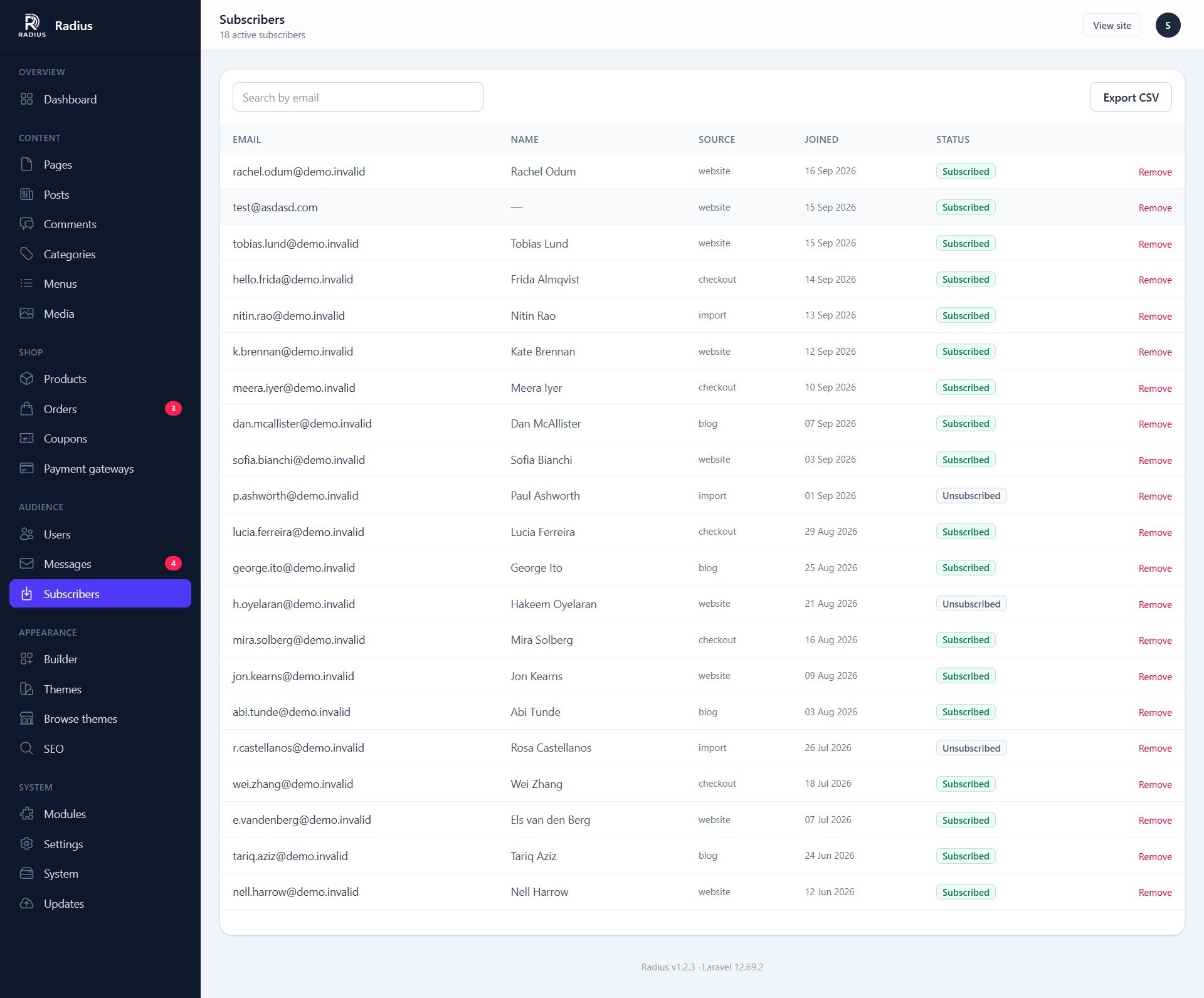
| Column | Notes |
|---|---|
| The address | |
| Subscribed | When they signed up |
| Source | Which form or page captured them |
| Status | Subscribed, or unsubscribed but retained |
Export
The Export CSV button downloads the list for import into Mailchimp, Brevo, Resend or anything else that takes a CSV.
Unsubscribing
Every subscriber gets a tokenised unsubscribe URL:
/newsletter/unsubscribe/{token}The token is per-subscriber and unguessable, so nobody can unsubscribe somebody else. Unsubscribed records are kept, not deleted — which is what lets you honour the request if the same address is imported again later.
Include the unsubscribe link
Radius generates the link, but it is your sending platform that has to put it in the email. In most places that is a legal requirement, not a courtesy.
Capture forms
The newsletter widget can go anywhere in the builder, and the default theme renders one in the footer. Submission is rate limited to five per minute.
SMS and push notifications
Two more optional modules, both configured entirely from their settings screens rather than having admin sections of their own:
- SMS — transactional messages and OTP login through MSG91 or Twilio. See Settings → SMS.
- Firebase — web push notifications. See Settings → Firebase.
Both have a Send test button on their settings screen, which is the only reliable way to confirm credentials before you depend on them.