

Theme directory
The theme directory lists free themes you can install in one click, without downloading and uploading a ZIP yourself. When a newer version of a theme you installed from it comes out, the Themes screen tells you and updates it in place.
| Screen | Route | Minimum role |
|---|---|---|
| Browse themes | /admin/themes/marketplace | Administrator |
| Theme details | /admin/themes/marketplace/{slug} | Administrator |
Administrator only
Installing a theme is deploying code, whether it comes from the directory or from an upload. Editors cannot open these screens.
Browsing
Open Appearance → Browse themes.
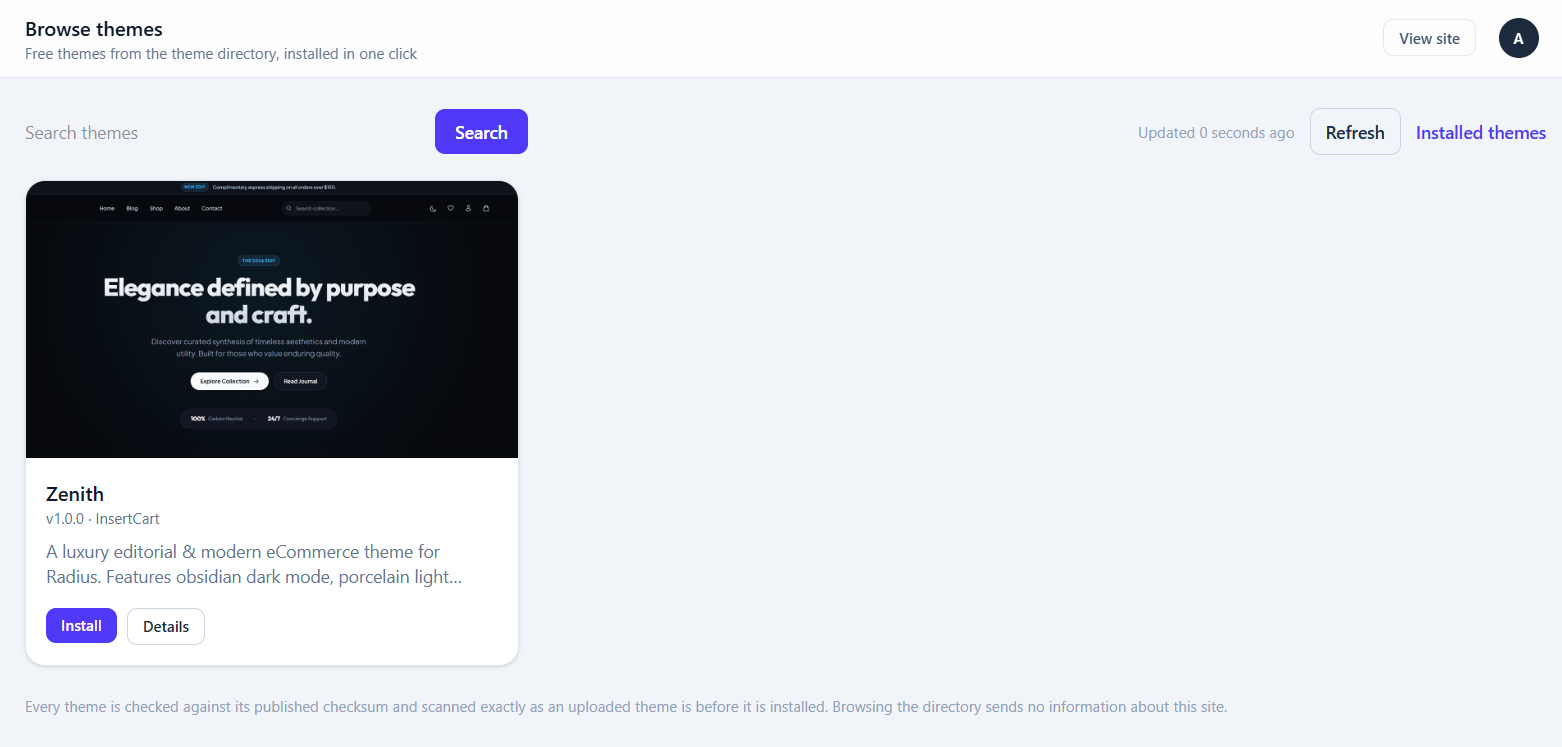
Search matches a theme's name, description, author and tags. Click a tag to narrow the list to it, and click it again to clear it.
The directory is remembered for 12 hours. Refresh fetches it again now — useful if you know a theme was just published.
A card shows Installed for a theme already on your site, and Update when a newer version is listed.
Installing
Details opens a theme's page, with its screenshots, the CMS version it needs, a Live preview link when the author provides one, and a checklist of what this server needs for the install to work.
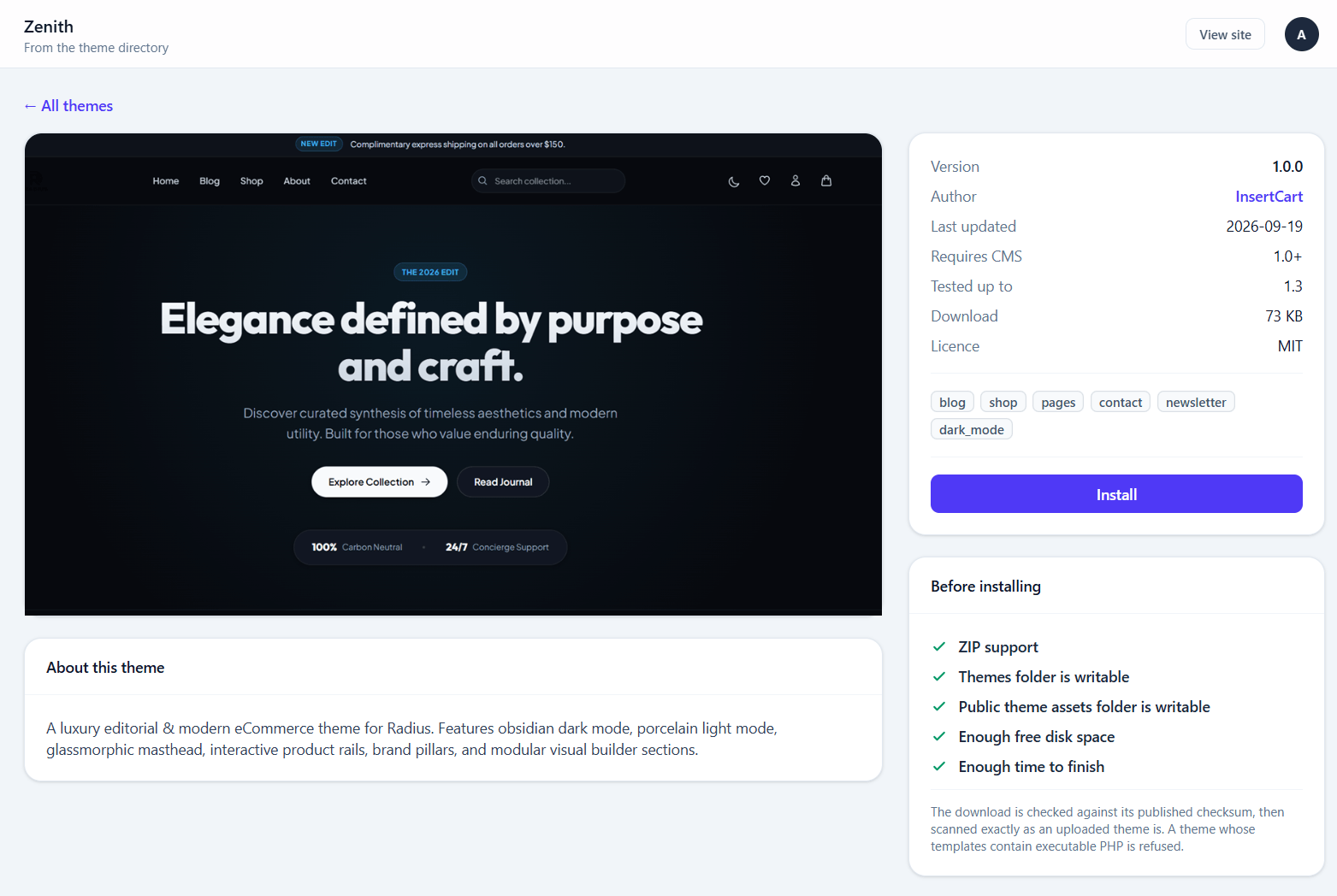
Install downloads the theme and installs it. It is not activated — go to Appearance → Themes and activate it when you are ready, exactly as with an uploaded theme.
What is checked
Nothing about installing from the directory is looser than uploading a ZIP:
- The download must come over https://.
- It must match the SHA-256 checksum the directory publishes for it. A file that does not match is discarded and nothing on your site changes.
- It must install under the name it was listed as, so a listing can never overwrite a different theme you already have.
- Addresses on your own server's network are refused, including after a redirect.
- It then goes through the same installer as an upload — the same file allowlist and the same template scan. See Theme uploads are checked.
Updating
When a newer version of a theme you installed from the directory is listed, Appearance → Themes shows an Update badge on it, and the sidebar shows a count.
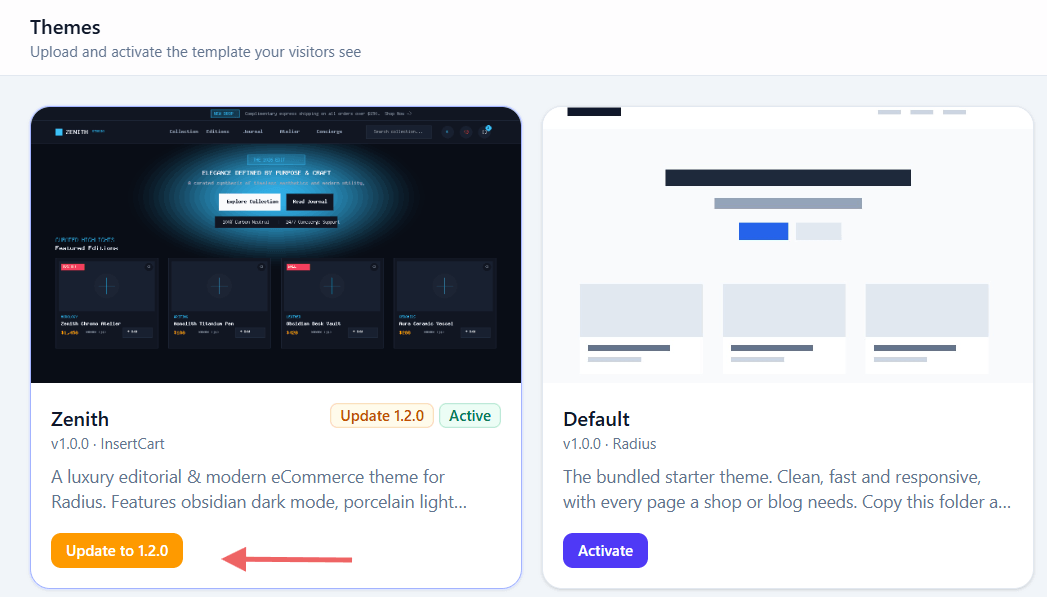
Update to … replaces the theme's files with the new version. If it is your active theme, visitors see the new version as soon as the update finishes.
Updating replaces the theme's files
Any edits you made directly inside that theme's folder are overwritten. Keep changes in Custom CSS or theme regions instead — see Keeping your changes.
Themes the directory will not touch
Only themes installed from the directory get its updates.
- A theme you uploaded yourself is never replaced from the directory, even if the directory lists one with the same folder name. Delete yours first if you want the directory's version.
- If you upload a ZIP over a theme that came from the directory, it becomes yours: the directory stops offering updates for it.
Privacy
Browsing sends one request for the directory's catalogue file, identified only by the product name and version. No site address, no email, and no list of what you have installed is sent.
A site that has never installed a theme from the directory does not contact it at all, even to check for updates.
Theme screenshots are loaded from the directory's server. To stop that, or to switch the directory off entirely:
| Variable | Effect |
|---|---|
CMS_MARKETPLACE_REMOTE_IMAGES=false | Screenshots are not loaded; cards show a placeholder |
CMS_MARKETPLACE_ENABLED=false | Removes Browse themes and every request it makes |
If something goes wrong
| Message | What to do |
|---|---|
| The theme directory is not available right now | The directory could not be reached. Try Refresh later; you can still upload a ZIP. |
| …does not match the checksum published… | The download was corrupted or replaced. Nothing was installed. Try again later, and report it if it persists. |
| …was not installed from the theme directory, so it will not be replaced | You already have a theme with that folder name. Delete it first to install the directory's version. |
| …needs version X of the CMS or newer | Update the CMS first. |
| The themes folder cannot be written to | Give the web server write access to themes/ and public/themes/. |
| This theme was rejected because its templates contain executable PHP | The theme failed the template scan. Report it so the listing can be pulled. |
Running your own directory
The directory is one static JSON file, so it can be hosted on anything that serves files over HTTPS — no server-side code. A fork or an agency points CMS_MARKETPLACE_URL at its own.
The catalogue file
{
  "format": 1,
  "generated_at": "2026-09-16T10:00:00Z",
  "items": [
    {
      "slug": "aurora",
      "name": "Aurora",
      "version": "1.2.0",
      "author": "InsertCart",
      "author_url": "https://www.insertcart.com",
      "description": "A calm editorial theme for blogs and small shops.",
      "tags": ["blog", "minimal", "dark"],
      "supports": ["blog", "shop", "pages"],
      "screenshot": "https://www.insertcart.com/marketplace/aurora/screenshot.png",
      "screenshots": ["https://www.insertcart.com/marketplace/aurora/1.png"],
      "preview_url": "https://demo.insertcart.com/aurora",
      "download": "https://www.insertcart.com/marketplace/aurora/aurora-1.2.0.zip",
      "sha256": "9f2c…",
      "size": 482100,
      "requires": "1.1.0",
      "tested": "1.1.8",
      "license": "MIT",
      "updated_at": "2026-09-10"
    }
  ]
}| Field | Required | Notes |
|---|---|---|
slug | Yes | Must match the slug the theme's own theme.json produces |
name | Yes | |
version | Yes | A string. Written as a number, 1.10 reads as 1.1, so the entry is skipped |
download | Yes | https:// address of the ZIP |
sha256 | Yes | 64 hex characters |
size | Bytes; shown to the admin and used for the disk-space check | |
requires | Oldest CMS version the theme works with | |
tested | Newest CMS version it was tested on | |
screenshot, screenshots | https:// only; anything else is ignored | |
author_url, preview_url | http(s):// only; anything else is ignored | |
tags, supports | Arrays of words | |
author, description, license, updated_at | Display only |
Rules worth knowing:
- One bad entry does not break the directory — it is skipped, and the rest still show.
- Unknown keys are ignored, so fields can be added any time. Raise
formatonly if the file's structure changes; older sites then say so plainly instead of misreading it. - Entries with a
priceabove zero or"requires_license": trueare skipped. This release installs free themes only; the rule is what lets paid listings be added to the same file later without older sites offering a download that would fail. - Save the file as UTF-8. A byte-order mark is tolerated.
A layout that works:
/marketplace/themes.json
/marketplace/<slug>/screenshot.png      (the same file named in theme.json)
/marketplace/<slug>/<slug>-<version>.zip
Keep old version ZIPs for a while, so a site part-way through an install does not hit a missing file.
Listing a theme
Package the theme first, so the ZIP you list has already passed the installer:
php artisan cms:theme-package auroraThen print its listing:
php artisan cms:marketplace-entry path/to/aurora-1.2.0.zip \
    --url=https://www.insertcart.com/marketplace/aurora
prints the entry for that ZIP — checksum, size, slug and version all read from the archive itself — ready to paste into items. It warns about files the installer would drop. The screenshot address uses the file name from the theme's theme.json, so upload that same image beside the ZIP. Fill in tags, preview_url and a realistic requires.
Install it before you list it
Upload the ZIP through Appearance → Themes on a test site first. Every site runs that same scan, so a theme refused there is refused everywhere.
Running a directory is running a software supply chain
Every site pointed at your catalogue installs what it lists. Whoever can edit the catalogue file or the ZIPs beside it can put code on those sites — the checksum proves a file is the one you listed, not that what you listed is safe. Protect the hosting account accordingly, and review every theme before listing it.