

Modules
Every optional feature is a module. Fifteen ship with Radius; four are core and cannot be switched off, and one — the Mobile API — arrives switched off.
| Screen | Route | Minimum role |
|---|---|---|
| Modules | /admin/modules | Administrator |
The list
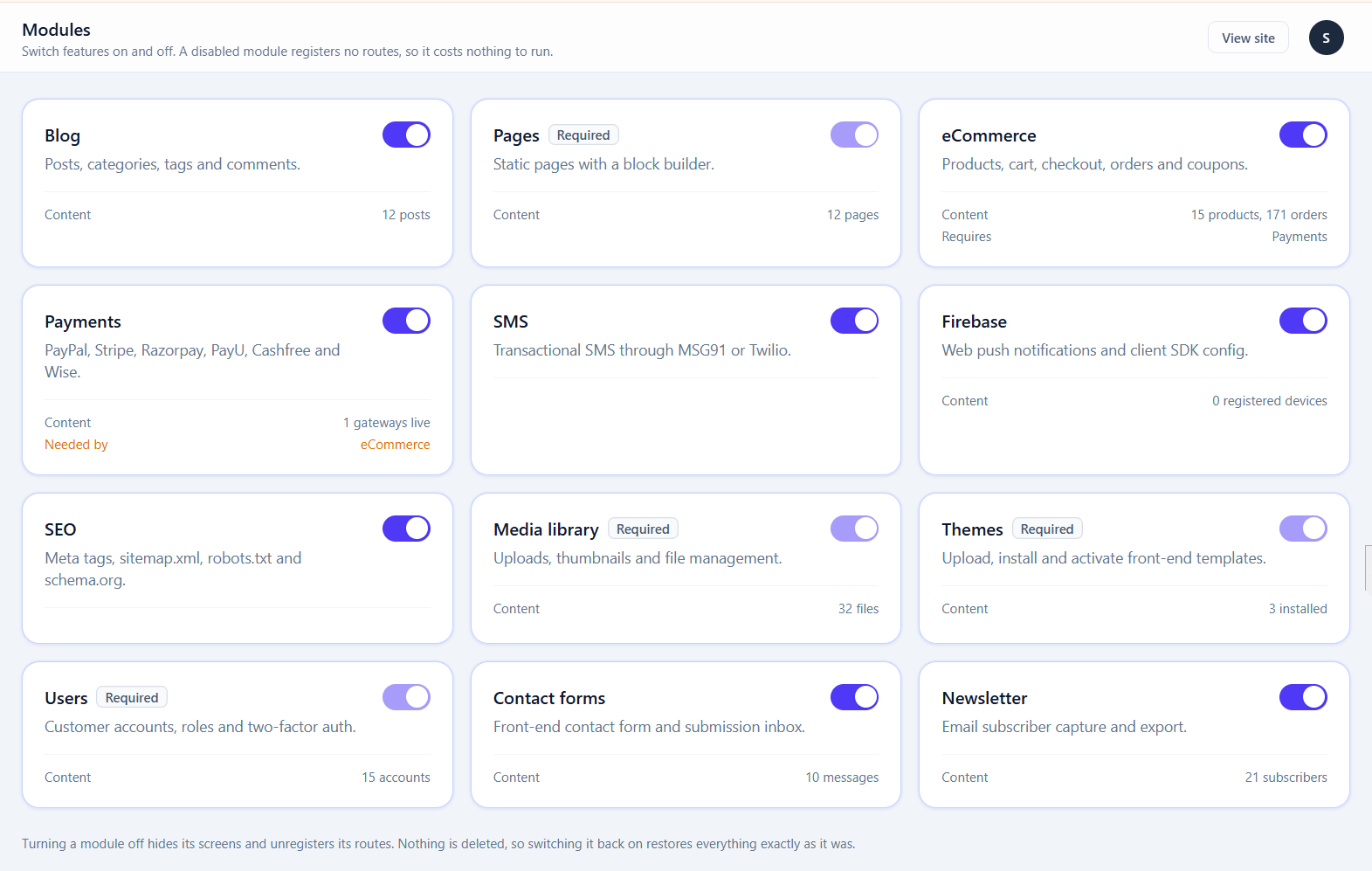
| Module | Adds | Core |
|---|---|---|
| Pages | Static pages, templates, homepage selection | Yes |
| Media | Uploads, thumbnails, file manager | Yes |
| Themes | Upload and activate front-end templates | Yes |
| Users | Accounts, roles, two-factor auth | Yes |
| Blog | Posts, categories, tags, comments | No |
| eCommerce | Products, cart, checkout, orders, coupons | No |
| Payments | Eight gateways, refunds, webhooks | No |
| SEO | Meta tags, sitemap.xml, robots.txt, schema.org, redirects | No |
| SMS | Transactional SMS and OTP via MSG91 or Twilio | No |
| Firebase | Web push notifications | No |
| Contact forms | Front-end form and submission inbox | No |
| Newsletter | Subscriber capture and CSV export | No |
| Media storage & CDN | Serve uploads from S3, Spaces, R2, Google Cloud, FTP or a pull CDN — see Media storage | No |
| Import & export | Move content in and out as a portable bundle, and import a WordPress site — see Import & export | No |
| Mobile API | A JSON API for a mobile app — see Mobile API. Ships switched off | No |
Every module except the Mobile API arrives switched on, because each is part of running a website. The API opens the site to programs, which is nobody's default, so it waits until you turn it on.
What "off" actually means
A switched-off module is absent, not hidden:
- It registers no routes — the URL 404s rather than redirecting
- It runs no queries
- It adds no menu entries to the sidebar
- Its builder widgets vanish from the palette, and existing instances render as nothing
- Its settings screen disappears
So a blog-only site carries none of the shop's weight, and a URL belonging to a disabled module cannot be reached by typing it — module-owned admin sections are wrapped in a middleware check as well as being hidden from the navigation.
Nothing is ever deleted
Switching a module off leaves its data alone. Products, orders, posts and comments all stay in the database exactly as they were.
Turning it back on restores everything. This makes the toggle safe to experiment with, and it is why "switch it off and see" is reasonable advice.
Dependencies are handled for you
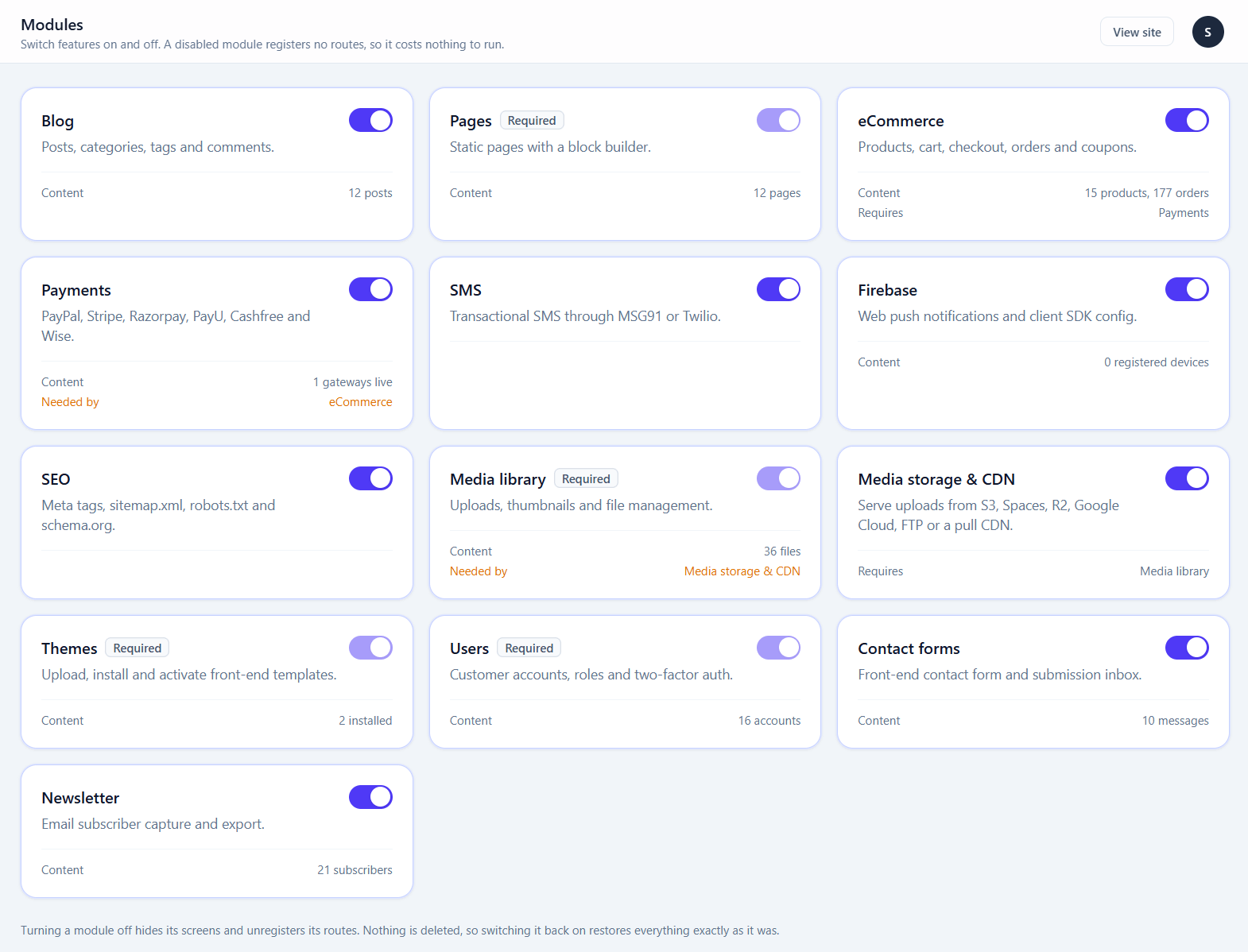
eCommerce requires Payments. Switching off Payments also switches off eCommerce, because a shop with no way to take money is not a working shop. You are told before it happens.
Switching Payments back on does not automatically restore eCommerce — turn that on separately.
After toggling, clear the caches
Caching routes freezes which ones exist
If you have previously run Optimise for production, the route cache holds the set of routes from that moment. Toggling a module changes which routes should exist, and a cached route table does not notice.
Clear the caches under System health, or run php artisan optimize:clear.
This is the single most common cause of "I turned the shop on but /shop still 404s".
Registering new modules after an upgrade
A new Radius version may add a module. The database needs to learn about it:
php artisan cms:syncThat registers new modules, payment gateways and settings without touching anything already configured. The in-panel updater runs it for you; run it by hand after a manual file replacement.
Which modules to switch off
A practical starting point:
| Site type | Turn off |
|---|---|
| Brochure site | Blog, eCommerce, Payments, SMS, Firebase, Newsletter |
| Blog | eCommerce, Payments, SMS, Firebase |
| Shop, no blog | Blog, SMS, Firebase |
| Everything | Nothing — but turn off SMS and Firebase until configured |
Leave SEO on unless you have a specific reason. It is cheap and it is what serves your sitemap.
An unconfigured module is worse than a disabled one
SMS and Firebase both render front-end elements when enabled. Enabled without credentials, they fail at the provider rather than at the button — which looks like a broken site to a visitor. Leave them off until configured.