

Payment gateways
Eight ways to take money. There is no platform fee — card fees are whatever you negotiate with your processor.
| Screen | Route | Minimum role |
|---|---|---|
| Gateway list | /admin/payments | Administrator |
| Gateway credentials | /admin/payments/{gateway} | Administrator |
Administrator only
Gateway credentials are secrets, so this section is administrator-only even though the shop itself is not.
What is supported
| Gateway | Flow | Refunds from admin | Webhooks |
|---|---|---|---|
| Stripe | Hosted Checkout redirect | Yes | Yes |
| PayPal | Orders v2 redirect | Yes | Yes |
| Razorpay | Checkout modal | Yes | Yes |
| PayU | Signed form POST | Yes | No |
| Cashfree | Hosted checkout | Yes | Yes |
| Wise | Bank transfer, optional transfer matching | No | No |
| Cash on delivery | Offline | No | No |
| Bank transfer | Offline | No | No |
Setting one up
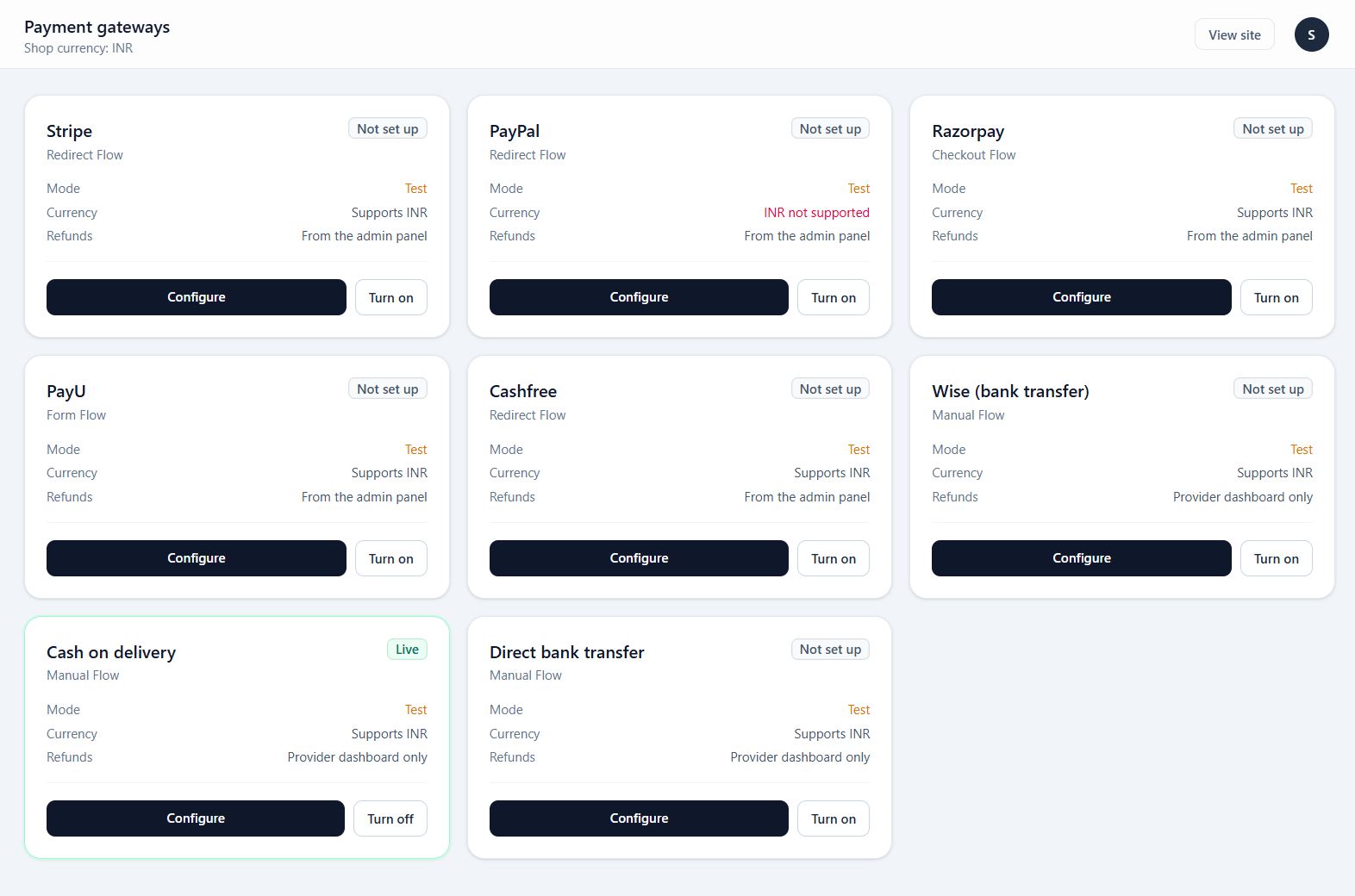
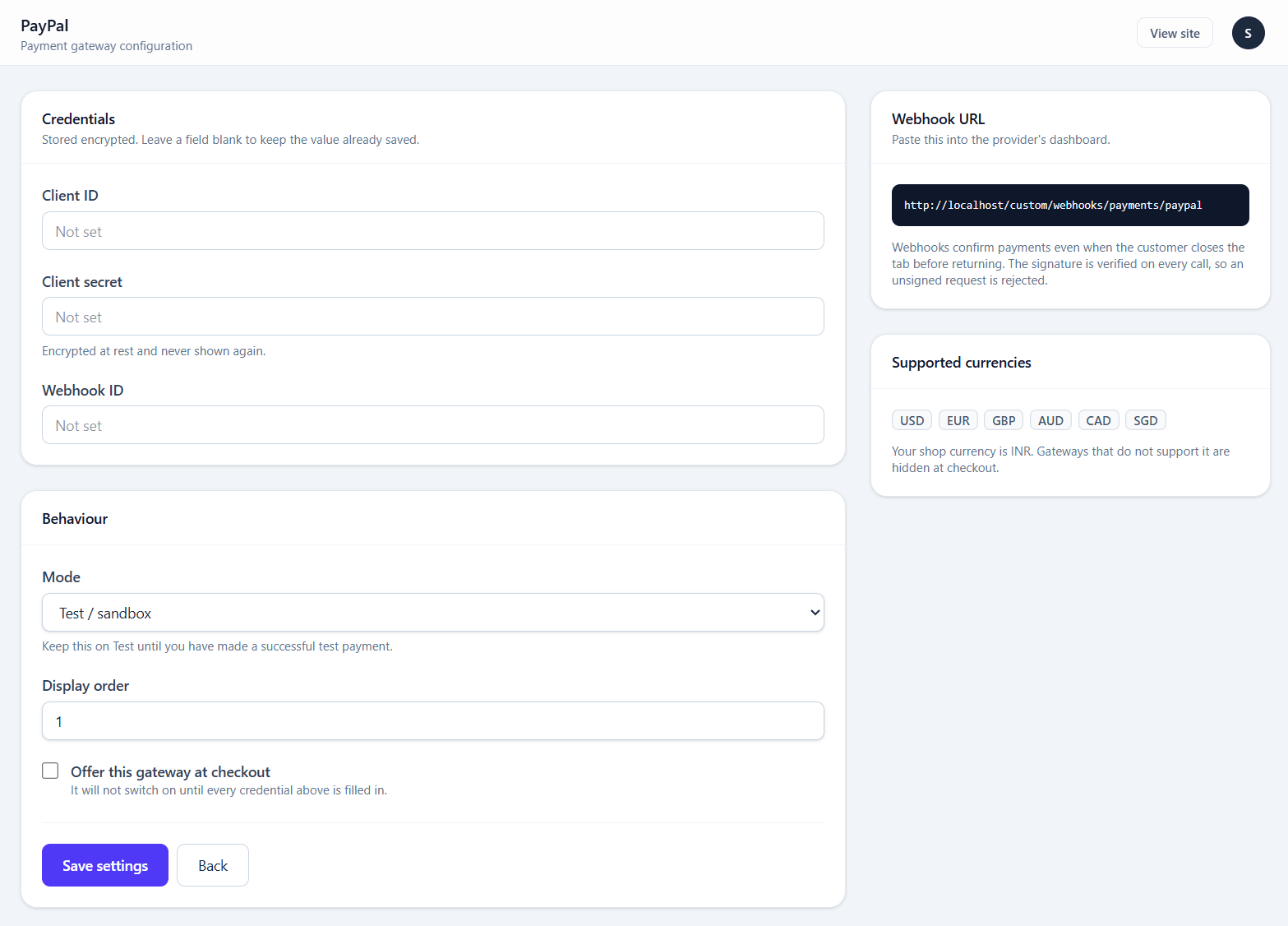
- Open the gateway
- Enter its credentials
- Choose test or live mode
- Save
- Copy the webhook URL shown on the screen into the provider's dashboard
- Enable the gateway
A gateway refuses to go live until every credential it needs is filled in. That is intentional — a half-configured gateway offered at checkout is a lost sale.
Credentials are encrypted at rest
Every secret is encrypted with your APP_KEY and is never sent back to the browser once saved. An empty-looking secret field on a saved gateway means it is stored, not missing.
Losing APP_KEY loses your gateway credentials
APP_KEY decrypts them. If you regenerate it, you must re-enter every gateway's credentials. Back up .env before touching it.
Test mode first
Every gateway has a test mode with its own credentials. Use it:
- Switch the gateway to test mode
- Place an order with the provider's test card
- Confirm the order reaches
paid - Refund it from the admin panel
- Switch to live mode and re-enter live credentials
An untested gateway is discovered to be broken by a customer.
Webhooks
This is the part that matters most, and the part most often skipped.
A customer who pays and then closes the tab never returns to your site, so the redirect that would confirm their order never happens. The webhook is what marks that order paid.
Each gateway's settings screen shows the URL to paste into the provider's dashboard:
https://yoursite.com/webhooks/payments/{gateway}Signatures are verified on every call, so an unsigned or replayed request is rejected.
Symptom of a missing webhook
Orders sitting at pending while customers insist they paid. Check the webhook URL in the provider's dashboard, then use Reconcile on the affected orders — see Orders.
PayU has no webhook support, so PayU orders depend on the customer returning to your site. Reconcile is the fallback there.
Why a redirect is not trusted
A return from a gateway proves nothing on its own — the customer controls their own browser, and a URL that says ?status=success can be typed by hand.
So every payment return is verified against the provider's API before an order is marked paid. That is the single most important thing about how payments work here, and the reason a fake success URL achieves nothing.
No vendor SDKs
Gateways talk to their providers over REST rather than through vendor SDKs.
That keeps vendor/ small, avoids six sets of transitive dependencies fighting each other, and means a host only needs curl and openssl — no per-gateway Composer package to install on a shared host.
The offline methods
Cash on delivery and Bank transfer place the order at pending payment and leave it to you. Mark it paid once the money arrives — which unlocks any digital downloads on it.
Wise sits between the two: it gives the customer your bank details and, with transfer matching configured, can match incoming transfers to orders. Refunds are still manual.
Currency
Set once, in Settings → Shop. All gateways use it.
Changing currency does not convert prices
Prices are stored as integers in the currency's minor unit. Switching from INR to USD turns ₹499 into $499. Re-price your catalogue deliberately, or do not change currency on a live shop.
Check your gateway supports the currency and your account is configured for it — a gateway accepting a currency your account cannot settle fails at capture, not at checkout.