

Media library
Every upload on the site goes through here — whether it came from this screen, the rich text editor, a settings field or the visual builder. Media is a core module and cannot be switched off.
| Screen | Route | Minimum role |
|---|---|---|
| Media library | /admin/media | Editor |
| Media picker Opened from any image field | /admin/media/browse | Editor |
The library
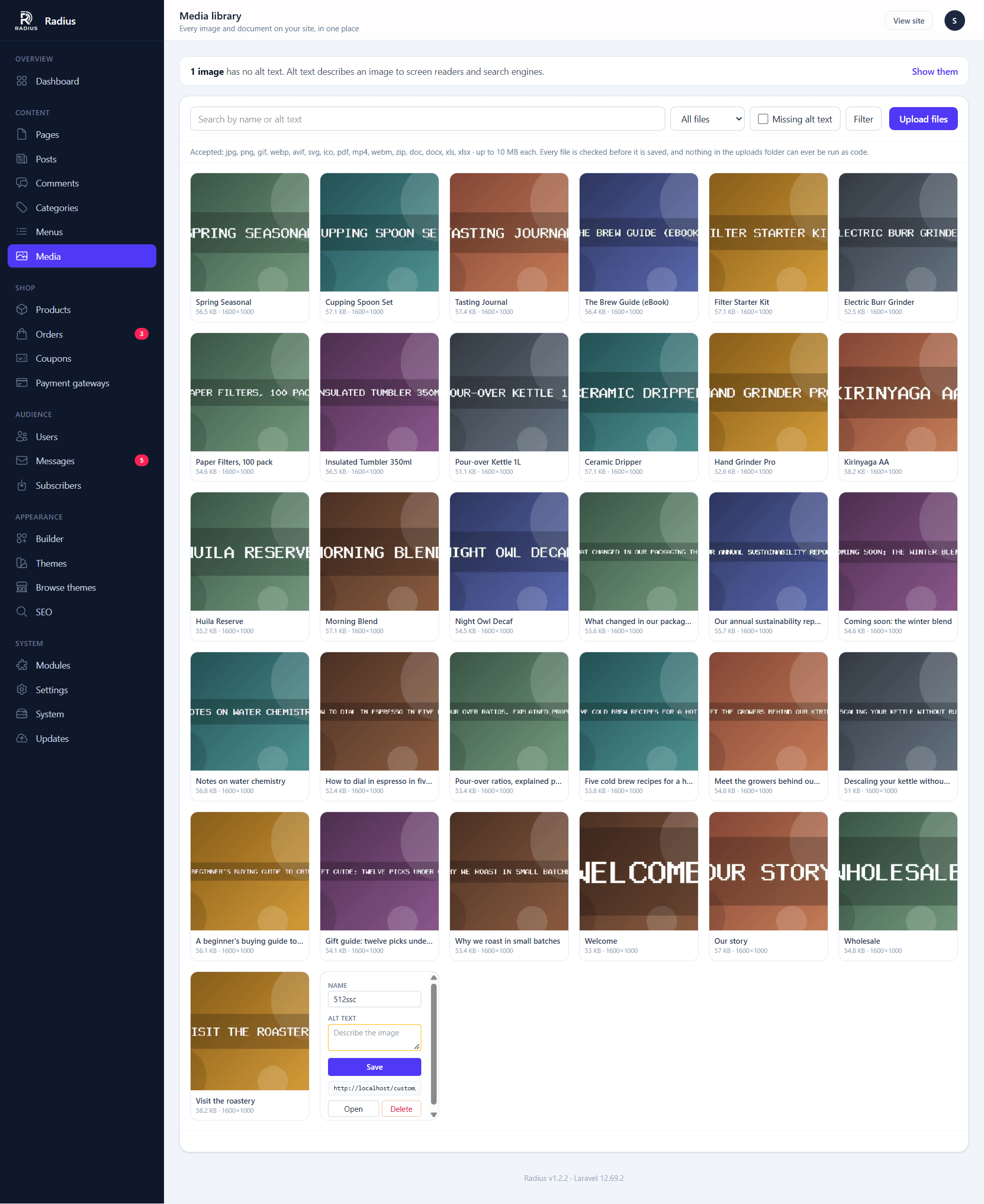
Filter by type and date, or search by filename and alt text. Files missing alt text are flagged on this screen, which is the fastest way to find them.
The picker
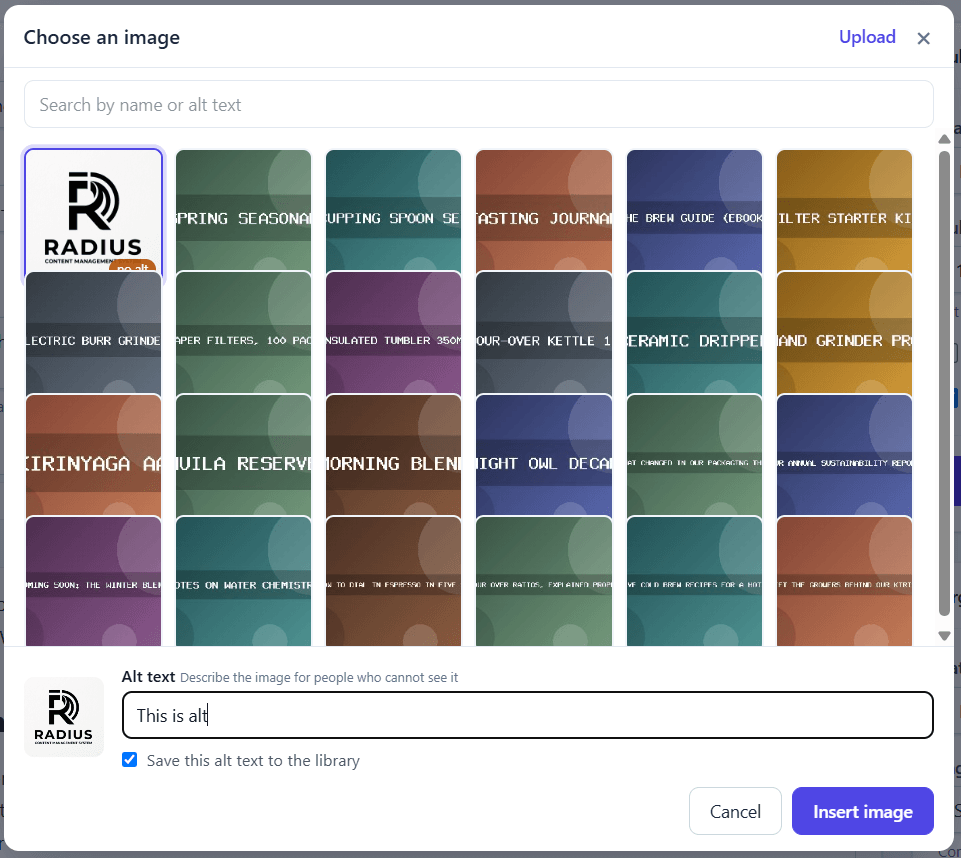
Any image field anywhere in the admin panel opens the same picker, so you never have to upload the same file twice.
Accepted files
| Kind | Extensions |
|---|---|
| Images | jpg jpeg png gif webp avif svg ico |
| Documents | pdf doc docx xls xlsx |
| Video | mp4 webm |
| Archives | zip |
The default size limit is 10 MB per file. Your host's upload_max_filesize and post_max_size can impose a lower one — if uploads fail at a size below 10 MB, that is where to look.
Files you sell are not uploaded here
The media disk is served straight off the web server, so anything here is readable by anyone who knows the URL. Digital products go somewhere else entirely. See Digital products.
Thumbnails
Every uploaded image is resized into three additional sizes, generated once on upload:
| Size | Longest edge |
|---|---|
thumb | 320 px |
medium | 768 px |
large | 1600 px |
The original is kept alongside them. Themes pick a size with $media->url('medium').
What happens to an upload
Each file is checked before it is stored, and the checks are not interchangeable — each one closes a different hole:
- The name and the contents must agree. A file is stored only if its extension is on the allowed list and its detected contents match that extension. It is saved under the checked extension, never the name the browser sent.
- Program code is refused, including PHP hidden after valid image data.
- Double extensions such as
photo.php.jpgare refused. - SVGs are cleaned: scripts, event handlers, external references and embedded frames are removed, and an SVG containing entity declarations is refused outright.
- Photos are re-encoded. This strips EXIF metadata — including the GPS coordinates phones embed — and discards anything appended after the image data.
On top of that, the uploads folder cannot execute code. /storage is served with an .htaccess that refuses every file type except the media formats Radius accepts, and never hands anything to PHP.
On nginx, .htaccess does nothing
If you run nginx, you must add the equivalent rules to your server block or the uploads folder will happily run a PHP file that got past everything else. The rules are in Security.
Alt text
Set per file in the detail panel, and requested again when you insert an image into content. It is worth filling in: it is what screen readers announce, what search engines read, and what shows if the image fails to load.
Replacing and deleting
There is no in-place replace — upload the new file and update whatever points at it. Deleting is immediate and permanent, and removes the original plus all three thumbnails.
Deleting a file that content still references leaves a broken image in that content. Nothing warns you, so check before deleting something old.
Serving from a CDN or bucket
The library can be served from a CDN, an S3-compatible bucket or another server over FTP, with a copy kept here or not. See Media storage & CDN. Deleting a file removes it from the provider as well.