

Import & export
Move content out of a Radius site as a portable file, bring it into another one, or import a WordPress site wholesale.
| Screen | Route | Minimum role |
|---|---|---|
| Import & export | /admin/import-export | Administrator |
The screen lives under System → Import & export and belongs to the Import & export module. Turn that module off under Modules and the screen and its routes disappear.
Administrators only
An import writes content, can create user accounts, and fetches files from an address chosen by whoever wrote the file. Editors cannot reach any of it.
Exporting
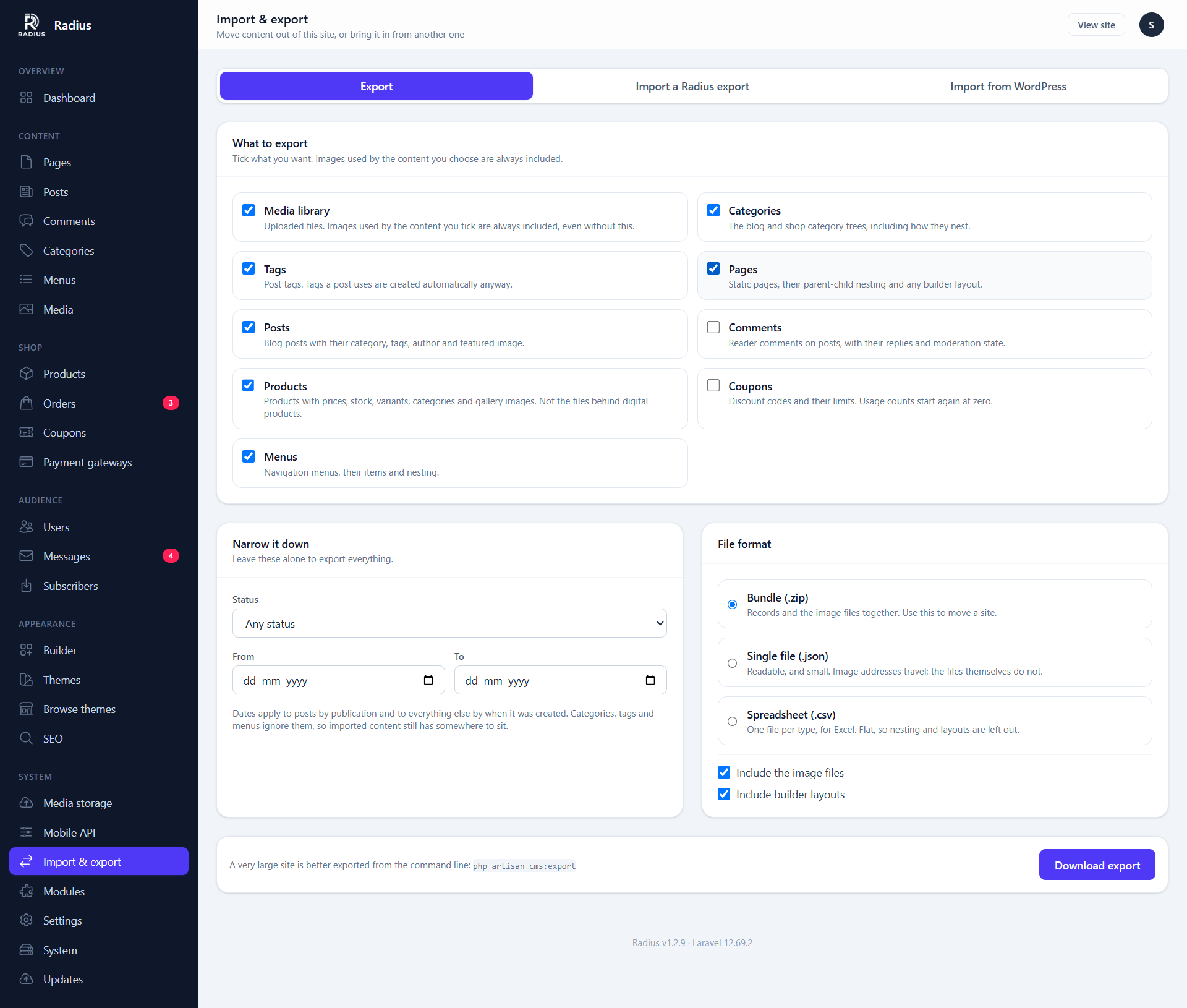
Tick what you want and press Download export.
| Type | What travels with it |
|---|---|
| Pages | Nesting, template, home page flag, SEO fields, builder layout |
| Posts | Category, tags, author, excerpt, publication date, SEO fields, builder layout |
| Categories | Both trees — blog and shop — with their parents |
| Tags | Name, slug, description |
| Comments | Threading and moderation state |
| Products | Prices, stock, variants, categories, gallery, SEO fields, builder layout |
| Coupons | Codes, limits and dates. Usage counts start again at zero |
| Menus | Items, nesting, and what each one points at |
| Media library | The files, plus alt text and titles |
Images come along whether or not you tick Media. Anything the content you chose actually points at — a post's featured image, a product gallery, a category picture — is added to the bundle for you.
Filters
- Status — published only, drafts only, or everything
- From / To — posts by publication date, everything else by creation date
Categories, tags and menus ignore dates on purpose. A bundle of "last year's posts" filed under categories that did not travel would import into a site where nothing has a home.
Formats
| Format | Holds | Use it for |
|---|---|---|
Bundle (.zip) | Records and image files | Moving a site, backing content up, seeding a staging copy |
Single file (.json) | Records only; images travel as addresses | Reading, diffing, checking into a repository |
Spreadsheet (.csv) | One flat sheet per type | Excel, Sheets, sending someone a product list |
A CSV cannot hold a menu tree or a builder layout, so those are left out of it. One type gives you a .csv; several give you a ZIP of them.
Very large sites
Export from the command line instead — no upload limit and no request timeout:
php artisan cms:export --output=/backupsImporting a Radius export
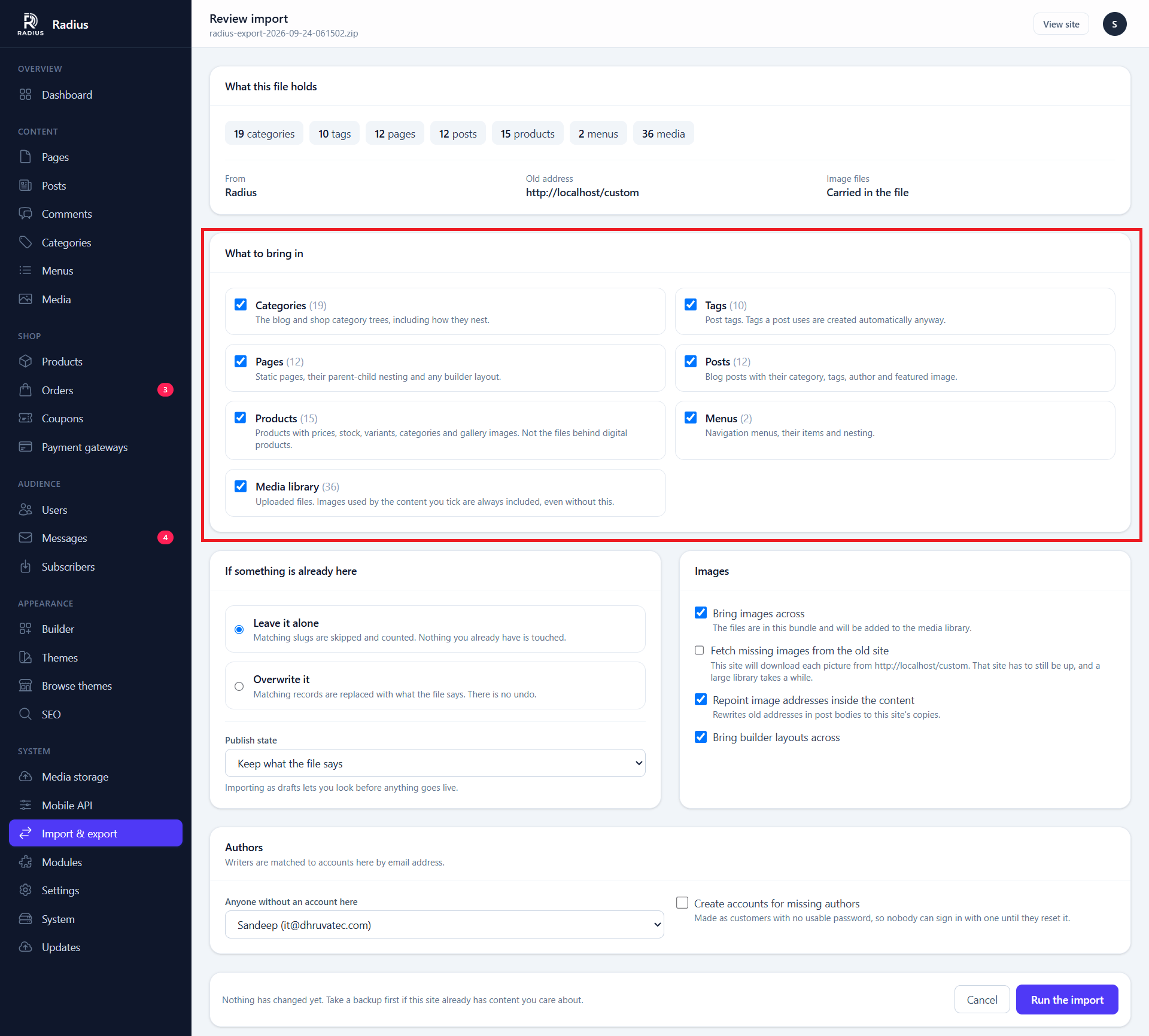
Importing is two steps, always. Upload the file and Radius reads it and tells you what is inside — 412 posts, 90 images, one menu — before anything touches your site. Nothing is applied until you press Run the import.
An upload you never apply is deleted after 24 hours, and it is deleted the moment the import finishes either way.
The choices on the review screen
If something is already here
Records are matched by slug — by code for coupons, by path for media.
- Leave it alone (the default) — matching records are skipped and counted
- Overwrite it — matching records are replaced by what the file says. There is no undo
Publish state — keep what the file says, or bring everything in as drafts so you can look before it goes live.
Images
- Bring images across — unpacks the files from a bundle into the media library
- Fetch missing images from the old site — downloads anything the file only names. The old site has to still be up
- Repoint image addresses inside the content — rewrites old addresses in post bodies to this site's copies
Authors — writers are matched to accounts here by email address. Anyone without a match gets the account you pick. Tick Create accounts for missing authors and they are created as customers with no usable password, so an import can never hand anybody a way in.
Running it twice is safe
Every record has a natural key, so a second run of the same file skips everything it already brought across. If an import stops at the ten-minute limit, just run it again.
Importing from WordPress
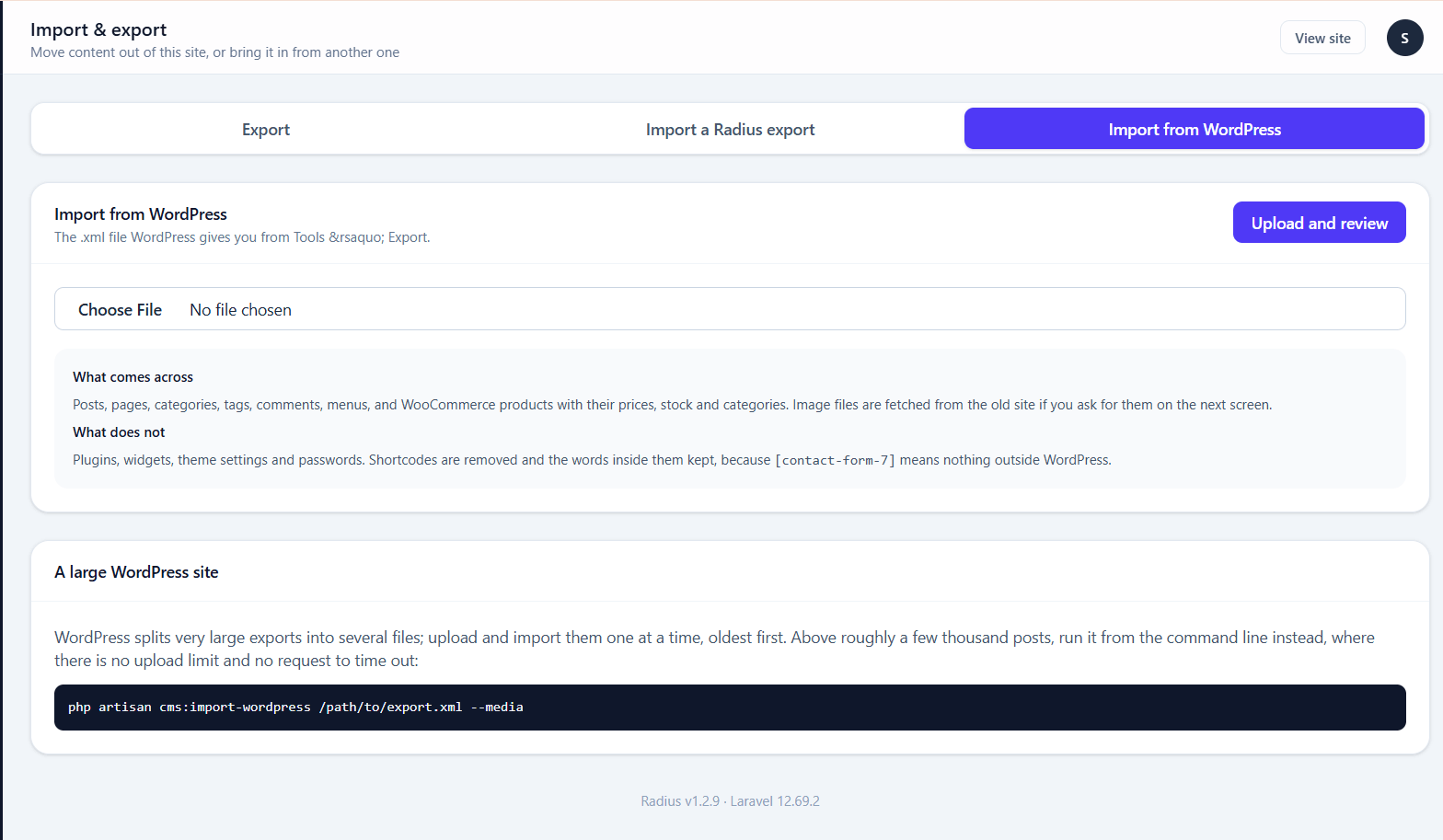
In WordPress, go to Tools → Export, choose All content, and download the .xml file. Upload that on the Import from WordPress tab.
What comes across
| WordPress | Becomes |
|---|---|
| Posts | Posts, with category, tags, author, date and comments |
| Pages | Pages, with their parent-child nesting |
| Categories | Blog categories, with their tree |
| Tags | Tags |
| Product categories (WooCommerce) | Shop categories |
| Products (WooCommerce) | Products, with SKU, price, sale price, stock and weight |
| Attachments | Media library entries — the files are fetched from the old site |
| Menus | Menus, with nesting, pointing at the imported pages and posts |
| Comments | Comments, with their replies and moderation state |
Content is converted as it comes in. Classic-editor posts go through the same paragraph handling WordPress applies at render time, so they do not arrive as one enormous block of text. Block-editor posts lose their <!-- wp:… --> markers and keep their HTML.
What does not
- Plugins, widgets and theme settings. None of it means anything outside WordPress
- Passwords. Authors can be created as accounts, but they will have to reset to sign in
- Shortcodes. The marker is removed and any words inside it kept — so
[caption]A cat[/caption]becomes "A cat", and[contact-form-7 id="4"]simply goes - Files behind downloadable products. WooCommerce does not put them in the export, so those products are imported as drafts
- Posts in the bin, revisions and auto-drafts
Prices are converted, not exchanged
WooCommerce stores 19.99; Radius stores 1999 minor units. That is arithmetic. If the old shop was in a different currency, the numbers arrive unchanged and are yours to correct — guessing an exchange rate into somebody's price list would be worse than leaving it alone.
Images
A WordPress export never contains the image files — only their addresses. Tick Fetch images from the old site on the review screen and Radius downloads each one. That means an HTTP request per picture, so a large library takes a while; the old site has to be reachable while it runs.
The scaled copies WordPress publishes beside each original — cover-300x200.jpg and friends — are recognised and repointed at the single copy Radius stores, so bodies that reference a thumbnail do not keep pointing at the old server.
Large blogs
WordPress splits very big exports into several files. Upload and import them one at a time, oldest first. Past a few thousand posts, use the command line:
php artisan cms:import-wordpress /path/to/export.xml --media --create-authorsFrom the command line
See Artisan commands for the full options.
# Export everything, including the image files
php artisan cms:export --output=/backups

# Just this year's published posts, as a readable JSON document
php artisan cms:export --types=posts --status=published --from=2026-01-01 --format=json

# See what is in a file without importing it
php artisan cms:import backup.zip --dry-run

# Import, overwriting anything that already exists
php artisan cms:import backup.zip --update

# A WordPress site, images and all
php artisan cms:import-wordpress export.xml --media --create-authors
What is inside a bundle
radius-export-2026-09-24-142300.zip
├── manifest.json          what made it, when, and what is in it
├── content/
│   ├── pages.jsonl        one JSON object per line
│   ├── posts.jsonl
│   └── …
└── media/
    └── 2026/09/cover-Xy7Kp2Qa.jpg
One record per line rather than one big array, so a site with forty thousand posts exports and imports with a single record in memory at a time — which is what makes this work on shared hosting.
Records refer to each other by slug, never by id. A post names its category by slug and its author by email. That is what lets the same file seed a fresh site, move a blog to a new host, or ship a starter kit — a bundle keyed by ids could only ever be restored onto the site it came from.
Before you import over a live site
Take a backup first. The updater's backup tool under Updates & backups covers the database, and Overwrite it mode has no undo.