

Themes
A theme controls how the public site looks. Themes are a core module and cannot be switched off — there is always an active theme.
| Screen | Route | Minimum role |
|---|---|---|
| Theme list | /admin/themes | Administrator |
Administrator only
A theme is Blade, and Blade is compiled to PHP and executed. Installing or activating one is equivalent to deploying code, which is an owner's decision, never an editor's.
The theme list
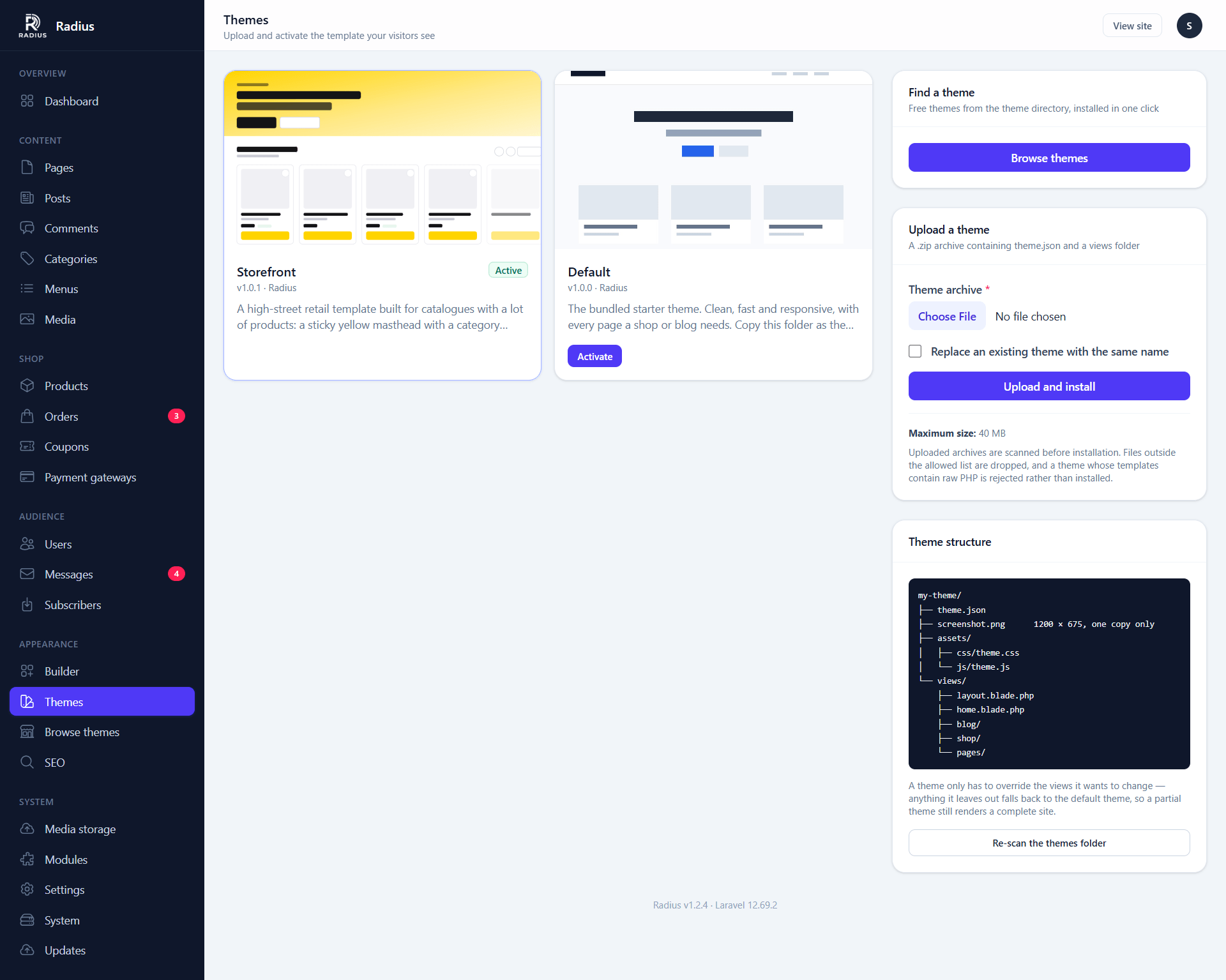
Radius ships with two themes:
| Theme | For |
|---|---|
| default | A general-purpose site: pages and a blog |
| storefront | A shop, with product and checkout templates |
Installing a theme
The quickest way is Appearance → Browse themes, which installs free themes from the theme directory in one click and keeps them updated.
To install a theme from anywhere else, upload its .zip from this screen.
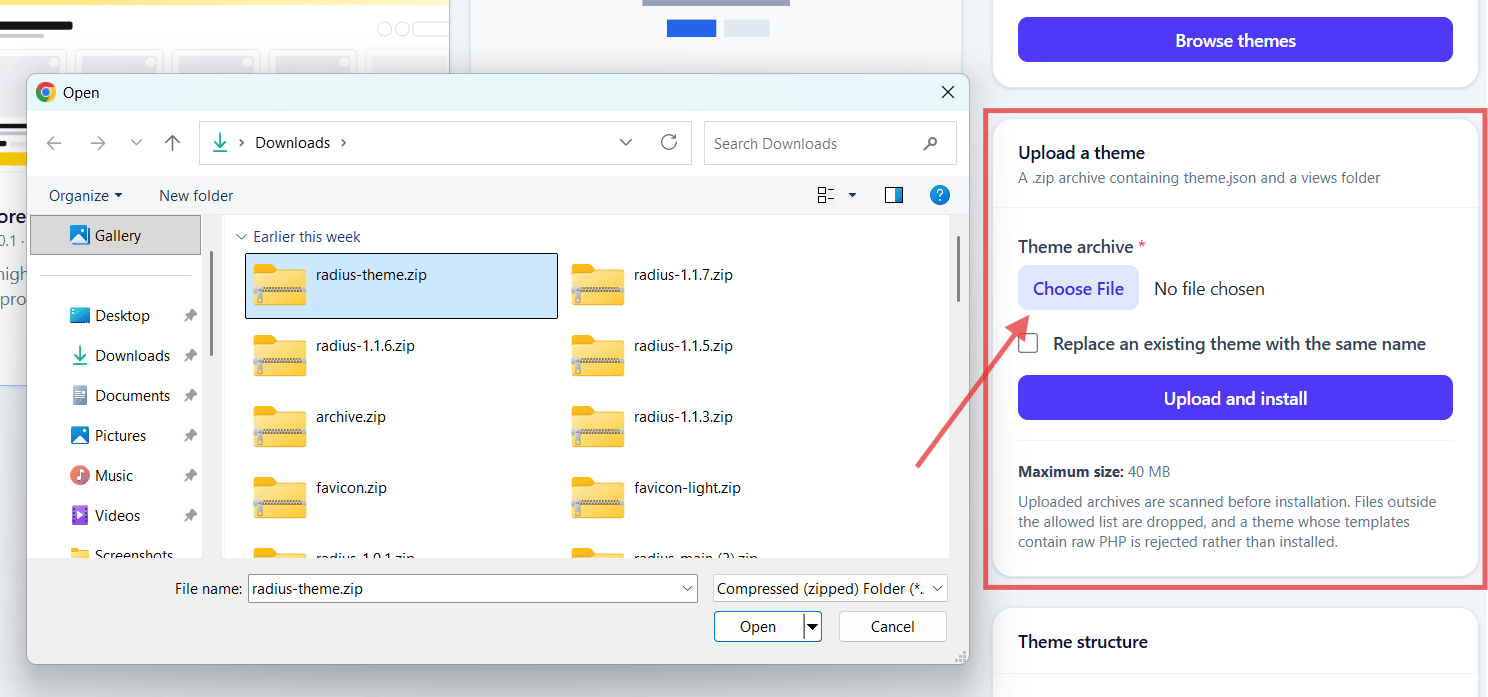
The limit is 40 MB. Themes can also be installed by dropping the folder into themes/ over FTP and pressing Re-scan themes, which is often easier on a host with a small upload limit.
Activating
Activate switches the public site over immediately. Nothing about your content changes — pages, posts and products are all theme-independent.
Builder layouts are per-theme
Header and footer layouts you built in the visual builder belong to the theme that declared those regions. Switching theme leaves them behind, un-rendered, because the new theme declares different regions. Switching back restores them. See Theme regions.
What a theme contains
my-theme/
├── theme.json          required: name, version
├── screenshot.png
├── assets/             copied to public/themes/<slug>/
│   ├── css/
│   └── js/
└── views/              required
    ├── layout.blade.php
    ├── home.blade.php
    ├── blog/
    ├── shop/
    ├── pages/
    └── partials/
A theme only has to override the views it wants to change. Anything it leaves out falls back to the bundled default theme, so a partial theme still renders a complete site. A theme consisting of nothing but theme.json and a restyled layout.blade.php is valid.
Theme uploads are checked
A theme is executable code, so an upload goes through several checks before anything is written to disk:
- Archive entries are resolved against the target directory. Anything escaping it is rejected — this is the "zip slip" traversal bug.
- Only allowlisted extensions are extracted. A
.php,.phtml,.htaccessor.shfile inside the archive is dropped, never written. This is the main defence against a template shipping a PHP web shell. - Blade templates are scanned for raw
<?phptags, shell execution,eval, filesystem writes, superglobal access and PHPinclude/require.
Permitted extensions:
blade.php json css js map svg png jpg jpeg gif webp avif ico
woff woff2 ttf eot otf md txt mp4 webm
A theme from an unknown source is code from an unknown source
The checks above stop the common attacks, not every possible one. A theme you bought from a marketplace you trust is a normal risk; a theme from a forum attachment is not.
Theme assets also cannot execute code: public/themes/.htaccess refuses to hand anything there to PHP. On nginx you must add the equivalent — see Security.
Deleting a theme
You cannot delete the active theme. Activate another first.
Deleting removes the folder and its published assets. Anything built in the builder for that theme's regions stays in the database, so re-installing the theme brings those layouts back.
Customising without building a theme
For small changes, you do not need a theme at all:
| Want | Use |
|---|---|
| Colour and spacing tweaks | Settings → Appearance → Custom CSS |
| A different header or footer | Theme regions in the builder |
| A one-off page design | The visual builder on that page |
| Analytics or pixels | Settings → Appearance → Header scripts |
| Your logo and favicon | Settings → General |
Custom CSS survives theme updates. Editing a theme's own files does not — see Building a theme.
Next
- Theme directory — browse, install and update free themes
- Building a theme
- Branding — logos, favicons, and white-labelling