

Menus
Navigation. A menu is a named, ordered tree of links that a theme renders wherever it looks the menu's slug up.
| Screen | Route | Minimum role |
|---|---|---|
| Menu list | /admin/menus | Editor |
| New menu | /admin/menus/create | Editor |
| Edit menu and its items | /admin/menus/{id}/edit | Editor |
Creating a menu
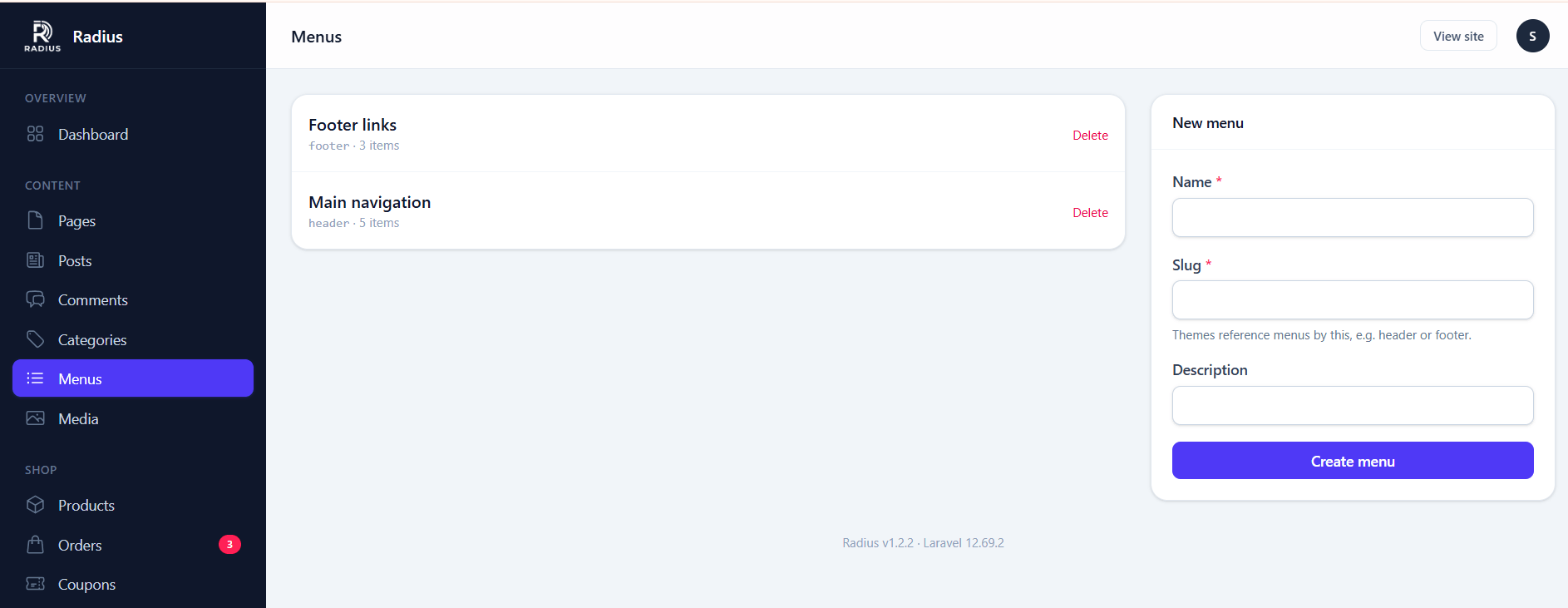
A menu has a name and a slug. The slug is what connects it to your theme: a theme looks up $siteMenus['<slug>'] wherever it wants to render a menu, so whichever menu you give that slug renders there.
Common slugs are header, footer and mobile, but they are entirely up to the theme — there is nothing in theme.json that declares them. Check the theme's partials (for example views/partials/header.blade.php) for which slugs it looks up. See Building a theme.
Adding items
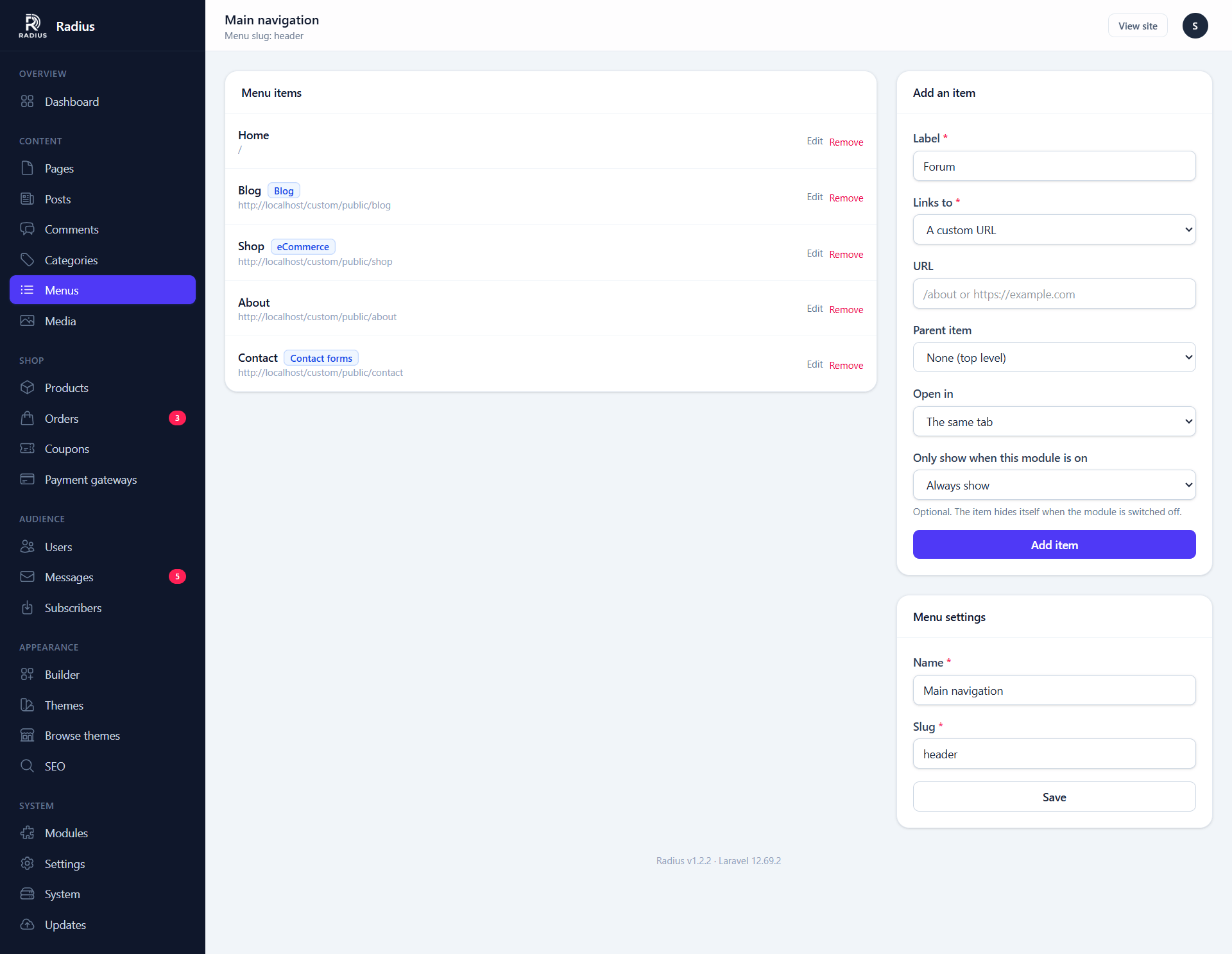
Items come in five kinds:
| Type | Points at | Survives a slug change? |
|---|---|---|
| Page | A page you pick from a list | Yes — it stores the page, not the URL |
| Post | A single post | Yes |
| Category | A blog or shop category archive | Yes |
| Custom link | Any URL you type | No — it is a literal URL |
| Shop | The shop index, cart, or account area | Yes |
Prefer the typed kinds over custom links wherever you can. A page item follows the page if you later change its slug; a custom link quietly 404s.
Nesting
Drag an item onto another to make it a child. How deep a theme renders is up to the theme — most handle two levels, and the default theme renders a dropdown for children and ignores grandchildren.
Per-item options
| Option | Notes |
|---|---|
| Label | Defaults to the page or post title; override it for a shorter menu |
| Open in new tab | Adds target="_blank" with the matching rel |
| CSS class | Passed through to the rendered <li>, for theme styling |
| Visibility | Always, signed-in only, or signed-out only |
Visibility is what you want for a Sign in / My account pair: two items in the same slot, each shown to the half of your visitors it applies to.
Reordering
Drag to reorder. The order saves as you drop — there is no separate save button for the tree, though the menu's own name and location do need saving.
Deleting
Deleting a menu does not delete the pages it pointed at. Deleting a page that a menu item points at leaves the item behind pointing at nothing, so the item needs removing by hand.
Rendering a menu in a theme
Every theme view is handed a $siteMenus array, keyed by slug, of the items in that menu's top level (each with its children already loaded):
@foreach ($siteMenus['header'] ?? [] as $item)
    @continue(! $item->isVisible())
    <a href="{{ $item->resolveUrl() }}" target="{{ $item->target }}">
        {{ $item->label }}
    </a>
    @if ($item->children->isNotEmpty())
        {{-- render $item->children the same way for a dropdown --}}
    @endif
@endforeach
A slug with no matching menu is simply an empty array, so ?? [] keeps the loop from erroring on a site that has not created that menu yet.
isVisible() applies the item's Visibility setting (signed-in / signed-out only) and whether its module is on. resolveUrl() is the actual link — read $item->url directly and a page or post item resolves to nothing, since the stored value is the page/post reference, not a URL.
The builder also has a Navigation menu widget, so a menu can be dropped into a header you designed visually rather than one the theme hardcodes. See Widgets.