

All settings screens
Ten screens, reached from Settings in the sidebar. This page is the full field reference — one section per screen.
| Screen | Route | Minimum role |
|---|---|---|
| General | /admin/settings/general | Administrator |
| Appearance | /admin/settings/appearance | Administrator |
| Search | /admin/settings/search | Administrator |
| SEO | /admin/settings/seo | Administrator |
/admin/settings/mail | Administrator | |
| SMS | /admin/settings/sms | Administrator |
| Firebase | /admin/settings/firebase | Administrator |
| Social links | /admin/settings/social | Administrator |
| Shop | /admin/settings/shop | Administrator |
| Advanced | /admin/settings/advanced | Administrator |
Administrator only
Settings screens are administrator-only. Editors stop at content.
Three of these screens belong to modules and disappear when the module is off: SMS, Firebase and Shop.
General
Site identity, contact details, branding and timezone.
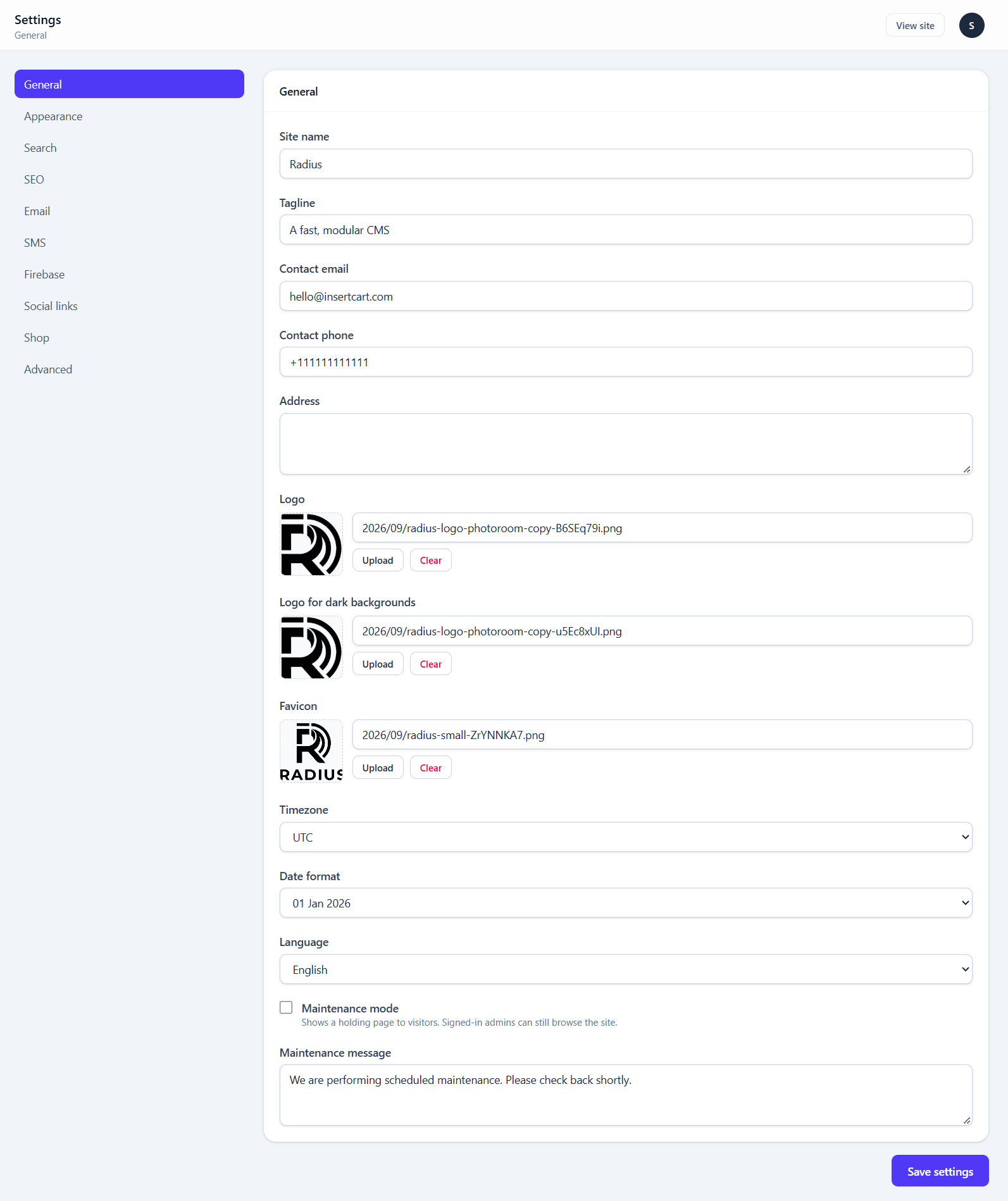
| Field | Type | Default | Notes |
|---|---|---|---|
| Site name | text | Radius | Required. Used in titles and emails |
| Tagline | text | A fast, modular CMS | |
| Contact email | — | Where contact form notifications go | |
| Contact phone | text | — | |
| Address | textarea | — | Appears on invoices |
| Logo | image | shipped file | For light backgrounds |
| Logo for dark backgrounds | image | falls back to Logo | Only needed if your logo vanishes on dark |
| Favicon | image | shipped file | |
| Timezone | select | UTC | Affects every displayed date and scheduled post |
| Date format | select | d M Y | |
| Language | select | en | |
| Maintenance mode | boolean | off | Holding page for visitors; signed-in admins still browse |
| Maintenance message | textarea | a default sentence |
Set the timezone before scheduling anything
A scheduled post's time is interpreted in this timezone. Changing it later does not move already-scheduled posts.
See Branding for how the two logo inks resolve.
Appearance
Theme selection, colour scheme, and the three injection points for custom code.
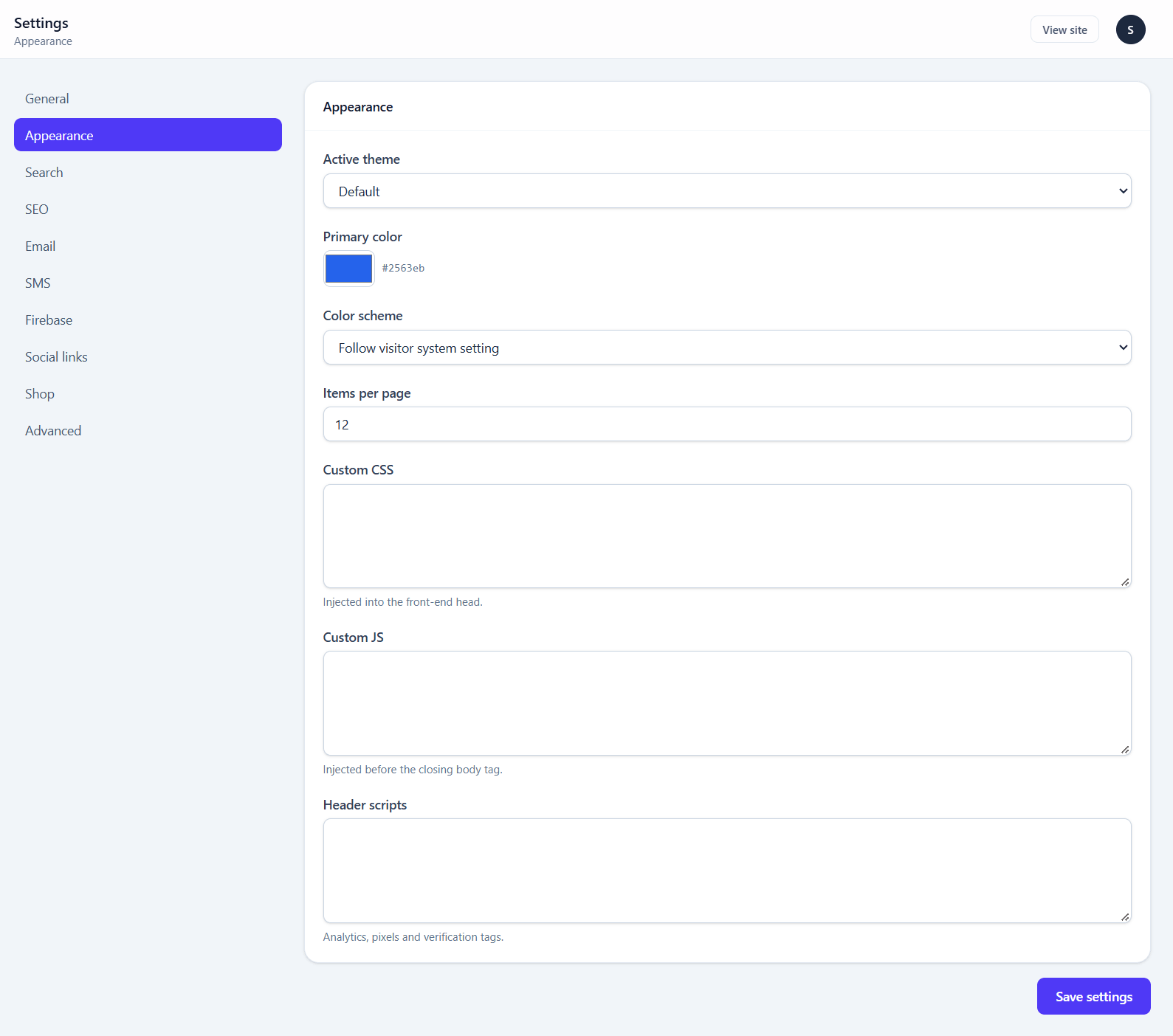
| Field | Type | Default | Notes |
|---|---|---|---|
| Active theme | select | default | Same list as Appearance → Themes |
| Primary color | color | #2563eb | Themes that read it use it as their accent |
| Color scheme | select | system | Always light, always dark, or follow the visitor |
| Items per page | number | 12 | Pagination for posts and products. 1–100 |
| Custom CSS | code | — | Injected into the front-end <head> |
| Custom JS | code | — | Injected before the closing </body> |
| Header scripts | code | — | Analytics, pixels and verification tags |
Custom CSS is the right place for small visual tweaks. It survives theme updates, where edits to a theme's own files do not.
Header scripts and Custom JS run on every page
Anything pasted here executes for every visitor. Paste only what you understand and control — your own analytics snippet, not a "free widget" from a forum.
Custom CSS and header scripts arrive via @stack('head'), and Custom JS via @stack('scripts'). A theme omitting those directives silently ignores all three fields — see Building a theme.
Search
How visitors search the site: which engine answers, whether results appear while typing, and what is searchable. Site search explains the choices in full.
| Field | Type | Default | Notes |
|---|---|---|---|
| Search engine | select | Database | Database or Index. Choosing Index builds the index on save |
| Show results while typing | boolean | on | Live dropdown under search boxes |
| Start after this many characters | number | 2 | 1–10 |
| Results per group while typing | number | 5 | 1–20 |
| Search blog posts | boolean | on | No effect while the Blog module is off |
| Search products | boolean | on | No effect while the Shop module is off |
| Search pages | boolean | on | |
| Site-wide results page at /search | boolean | on | Turn off if you have your own page at /search |
| Live searches allowed per visitor per minute | number | 60 | Rate limit on live results |
| Remember live results for (seconds) | number | 60 | Database engine only. 0 turns it off |
Below the form, the Search status card shows what the index holds for each kind of content, with a Rebuild index now button.
SEO
Site-wide defaults. Anything set per page overrides these.
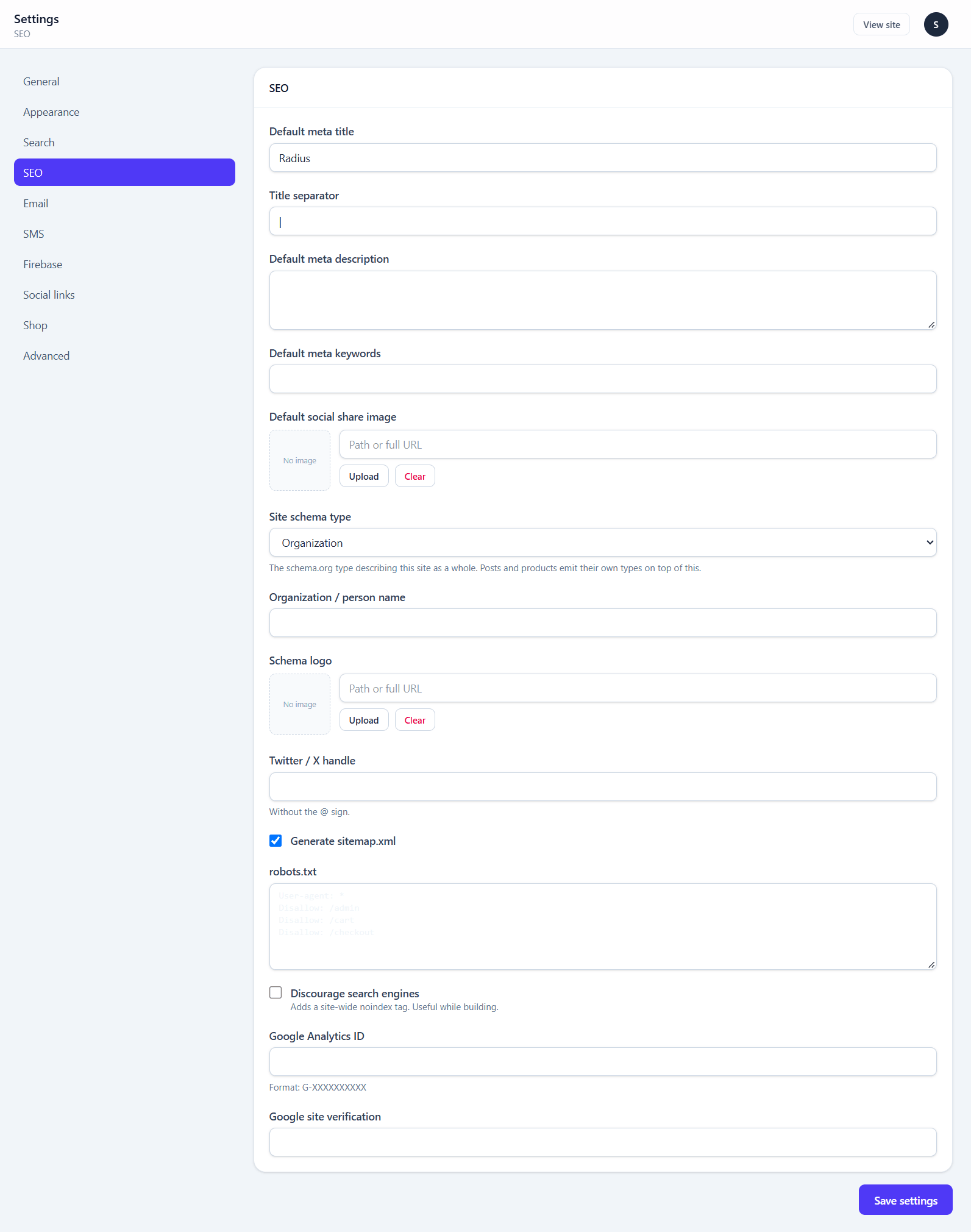
| Field | Type | Default | Notes |
|---|---|---|---|
| Default meta title | text | Radius | Fallback when a page sets none |
| Title separator | text | | | Between page title and site name |
| Default meta description | textarea | — | |
| Default meta keywords | text | — | Ignored by Google; harmless |
| Default social share image | image | — | Used when a page has no featured image |
| Site schema type | select | Organization | Or Person, etc. |
| Organization / person name | text | — | |
| Schema logo | image | — | |
| Twitter / X handle | text | — | Without the @ |
| Generate sitemap.xml | boolean | on | Serves /sitemap.xml |
| robots.txt | code | disallows admin, cart, checkout | Served dynamically |
| Discourage search engines | boolean | off | Site-wide noindex |
| Google Analytics ID | text | — | Format G-XXXXXXXXXX |
| Google site verification | text | — |
Turn off "Discourage search engines" before launch
It is useful while building and catastrophic if forgotten. It adds a site-wide noindex, and no amount of good content outranks that.
Do not add a static public/robots.txt
public/robots.txt is deliberately absent. A static file there would shadow the dynamic route this module serves, and your edits in this screen would stop having any effect.
The SEO section
Beyond this settings screen there is a SEO section in the sidebar with per-route meta overrides and redirect management:
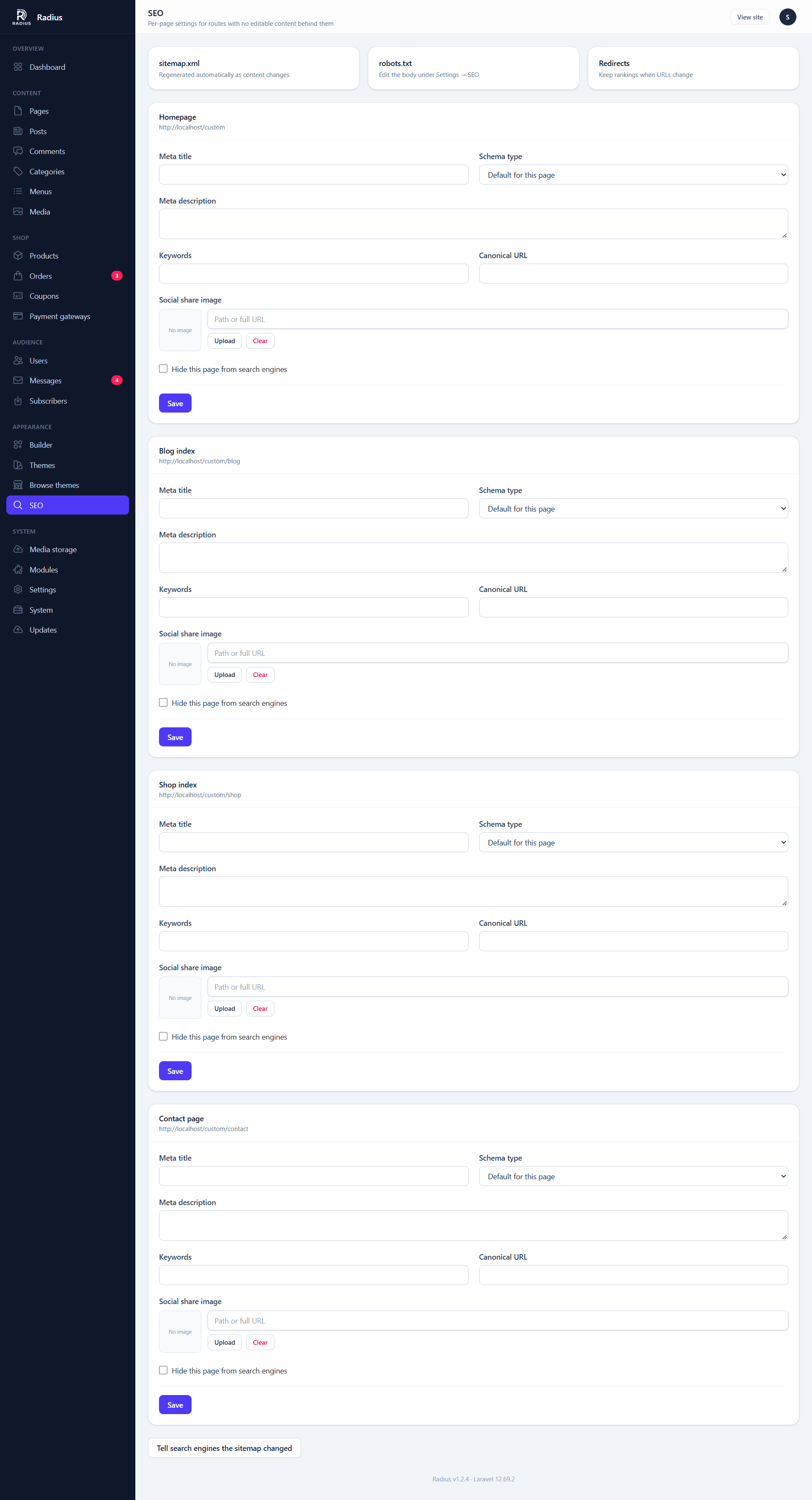
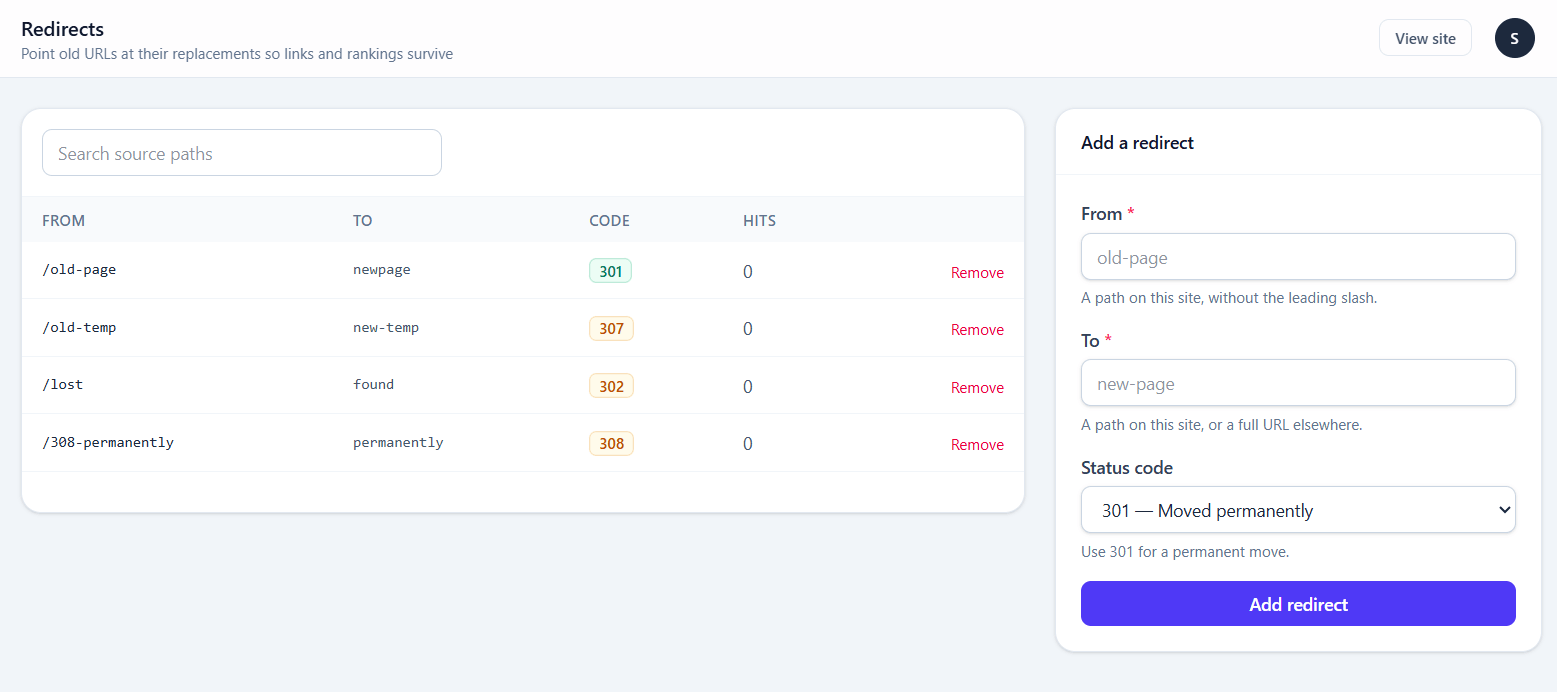
Add a redirect whenever you change a published slug. That is what keeps an existing ranking and any inbound links working.
The Ping sitemap button notifies search engines that your sitemap changed.
Email
Order confirmations, password resets and contact notifications all depend on this screen.
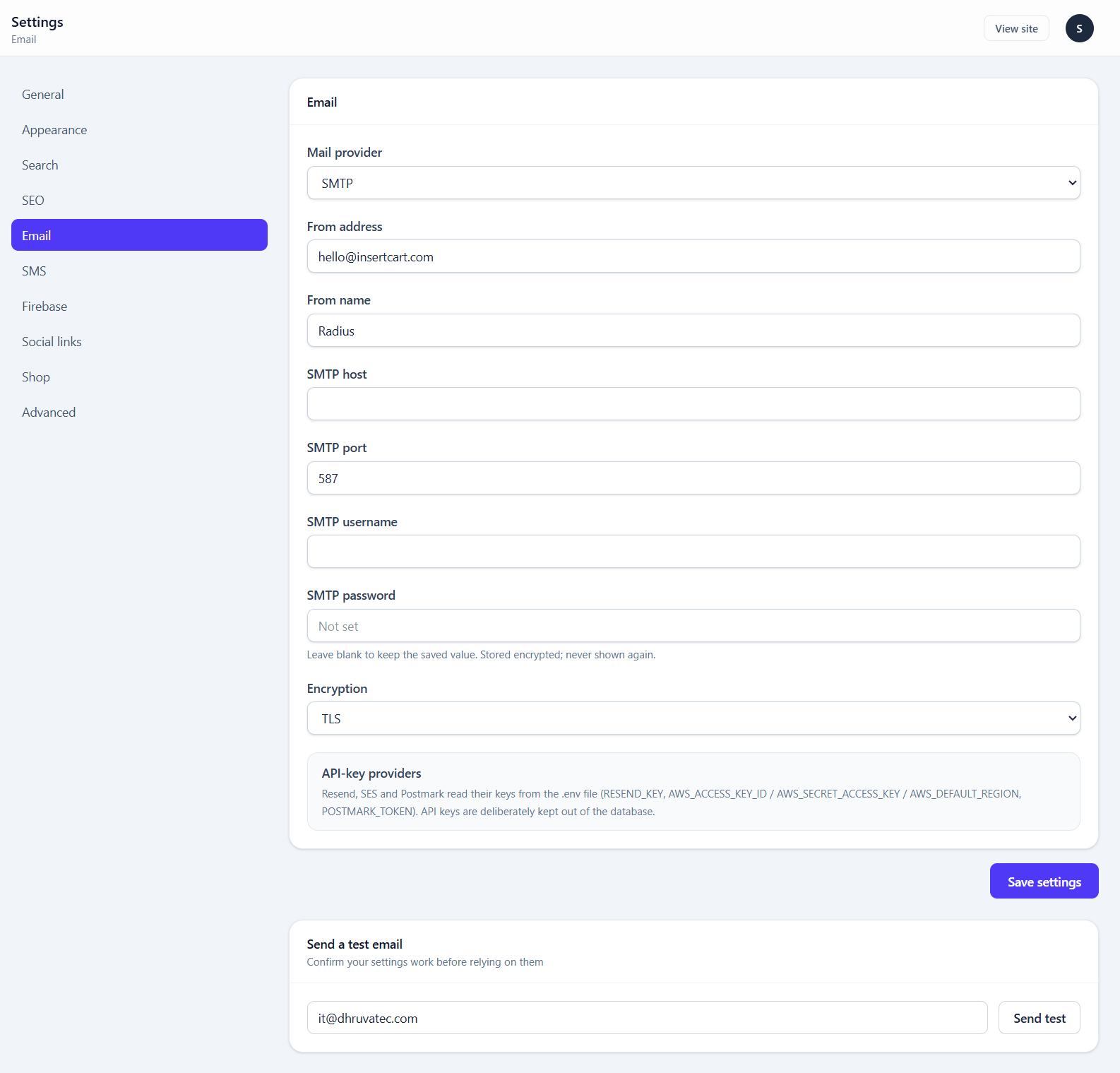
| Field | Type | Default | Notes |
|---|---|---|---|
| Mail provider | select | smtp | SMTP, Resend, Amazon SES, Postmark, or log only |
| From address | — | ||
| From name | text | Radius | |
| SMTP host | text | — | SMTP only |
| SMTP port | number | 587 | SMTP only |
| SMTP username | text | — | SMTP only |
| SMTP password | secret | — | SMTP only. Encrypted at rest |
| Encryption | select | tls | TLS, SSL or none |
API-key providers read from .env
Resend, SES and Postmark take their keys from .env, not from this screen. API keys are deliberately kept out of the database, because a database backup travels more casually than a server does.
| Provider | .env keys | Package to install |
|---|---|---|
| Resend | RESEND_KEY | composer require resend/resend-laravel |
| Amazon SES | AWS_ACCESS_KEY_ID, AWS_SECRET_ACCESS_KEY, AWS_DEFAULT_REGION | composer require aws/aws-sdk-php |
| Postmark | POSTMARK_TOKEN | composer require symfony/postmark-mailer |
The screen shows which keys are present and which package is missing. If a provider is not installed, mail falls back to the log rather than failing silently — so check the screen rather than assuming a quiet send worked.
Always press Send test email
It is on this screen. A misconfigured mail setup is invisible until a customer cannot reset their password.
SMS
Transactional SMS and OTP login. Needs the SMS module.
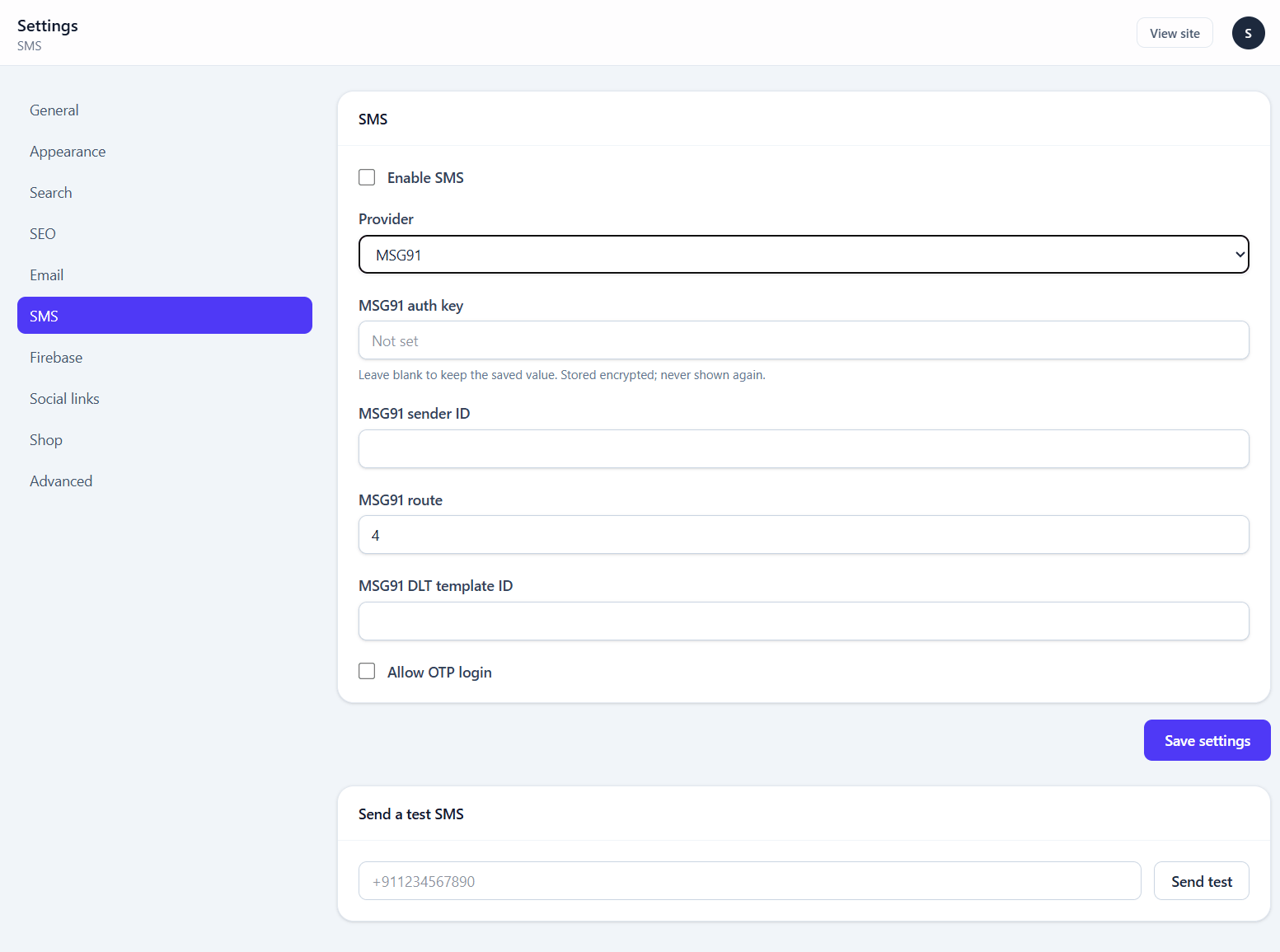
| Field | Type | Default | Notes |
|---|---|---|---|
| Enable SMS | boolean | off | |
| Provider | select | msg91 | MSG91, Twilio, or log only |
| MSG91 auth key | secret | — | |
| MSG91 sender ID | text | — | |
| MSG91 route | text | 4 | |
| MSG91 DLT template ID | text | — | Required for Indian numbers |
| Twilio account SID | text | — | |
| Twilio auth token | secret | — | |
| Twilio from number | text | — | |
| Allow OTP login | boolean | off | Customers sign in with a texted code instead of a password |
With Allow OTP login on and SMS working, the sign-in page gets a Sign in with a code sent to your phone button. It works only for customer accounts, never staff. The number typed in must match the phone on exactly one active account. The code always goes to the number saved on the account. It expires after 10 minutes and stops working after 5 wrong tries. An account with two-factor authentication still has to pass that step as well.
Indian numbers need DLT registration
MSG91 messages to Indian numbers require a DLT-registered template ID. Without it, delivery fails at the carrier rather than at the API, so the send looks successful.
Firebase
Web push notifications. Needs the Firebase module.
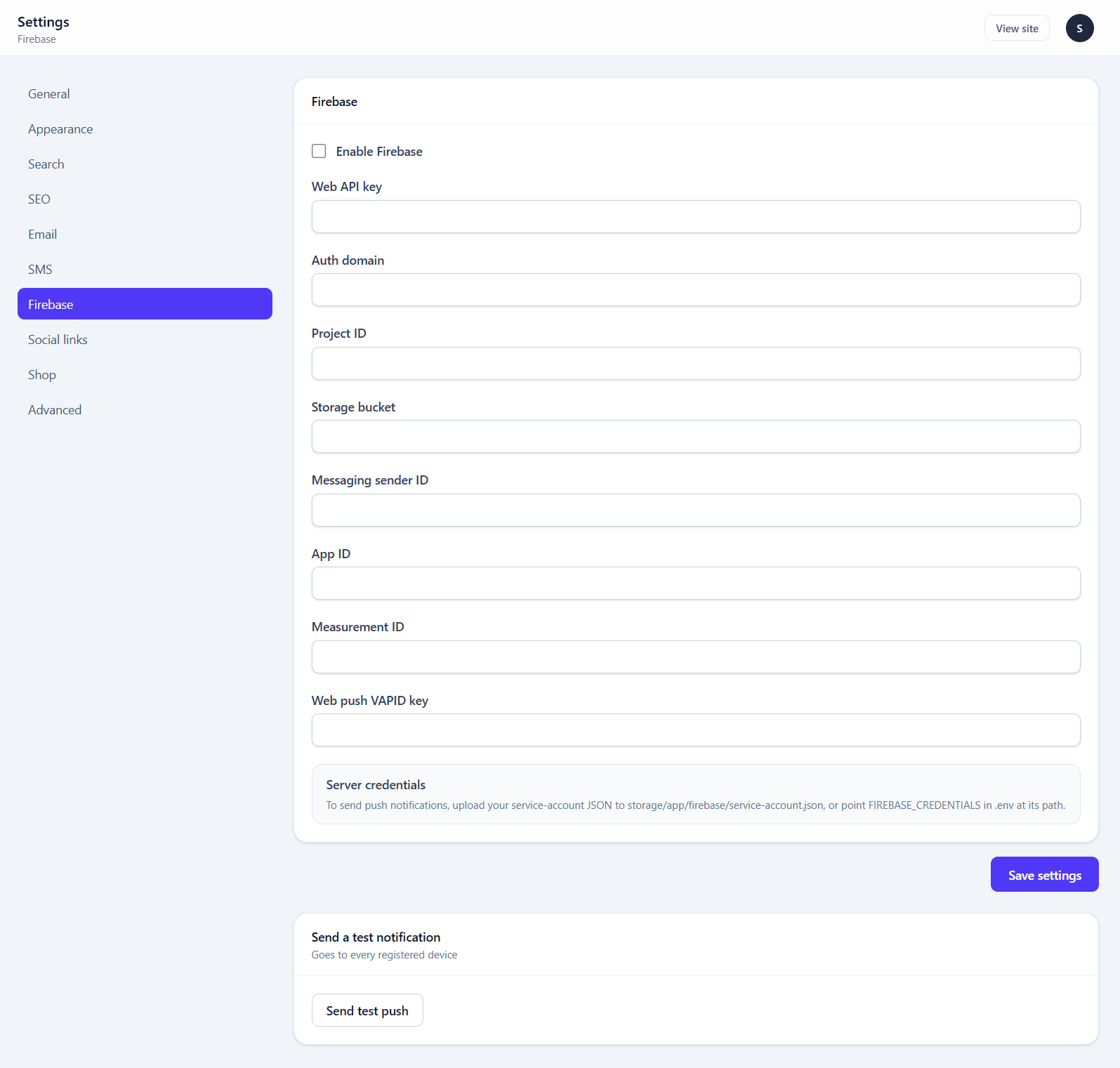
| Field | Type | Notes |
|---|---|---|
| Enable Firebase | boolean | |
| Web API key | text | From your Firebase web app config |
| Auth domain | text | |
| Project ID | text | |
| Storage bucket | text | |
| Messaging sender ID | text | |
| App ID | text | |
| Measurement ID | text | |
| Web push VAPID key | text | Cloud Messaging → Web Push certificates |
Server credentials go on disk, not in this screen. Upload your service-account JSON to:
storage/app/firebase/service-account.jsonor point FIREBASE_CREDENTIALS in .env at its path.
The service worker is served from the site root at /firebase-messaging-sw.js, because a service worker can only control pages at or below its own path.
Social links
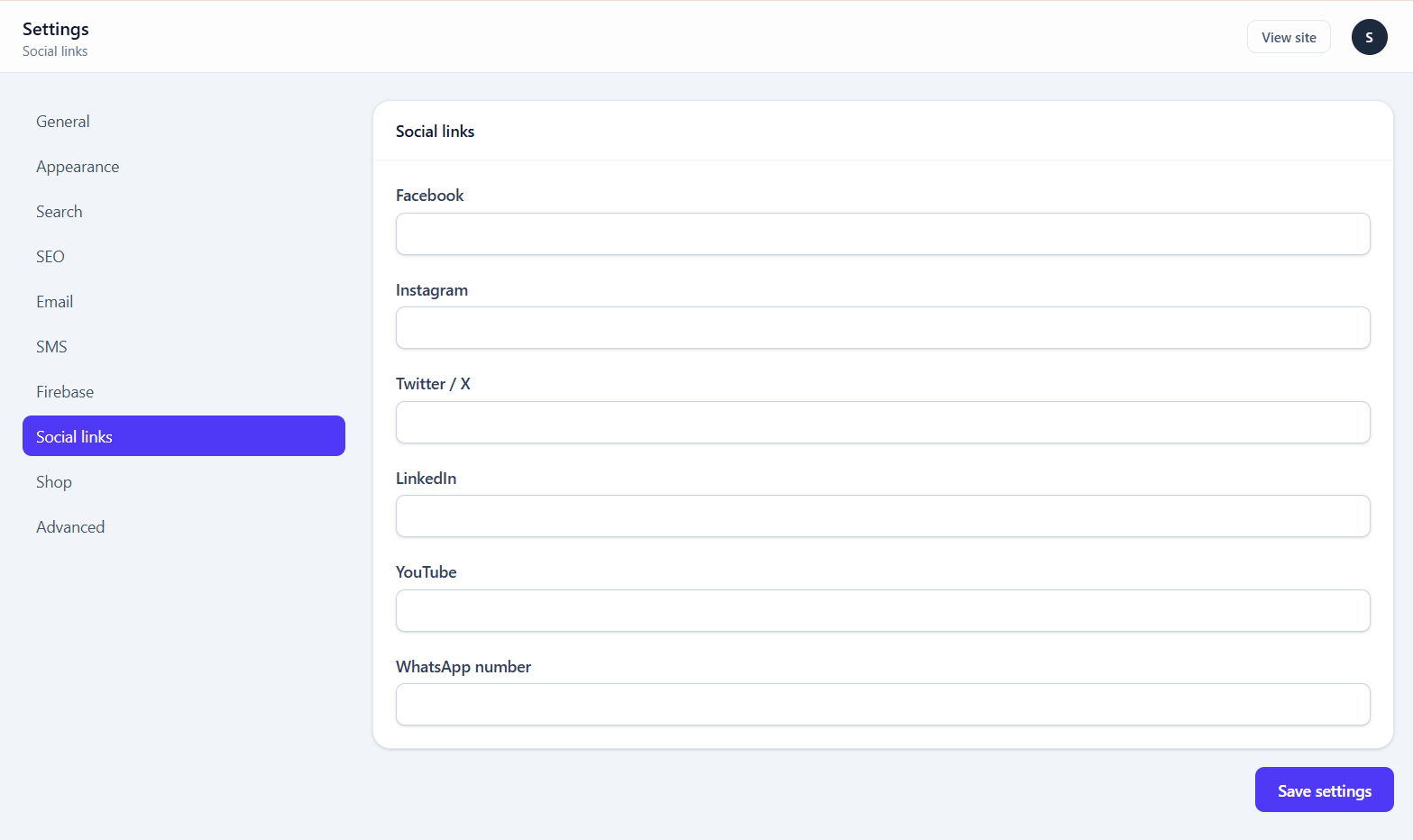
| Field | Type |
|---|---|
| url | |
| url | |
| Twitter / X | url |
| url | |
| YouTube | url |
| WhatsApp number | text |
Empty fields are skipped rather than rendered as dead icons. These feed both the theme footer and the builder's Social icons widget.
Enter the WhatsApp number in international format, for example +91 98765 43210. It becomes a click-to-chat wa.me link. You can also paste a full https://wa.me/... link.
Shop
Needs the shop module. Set currency before adding products.
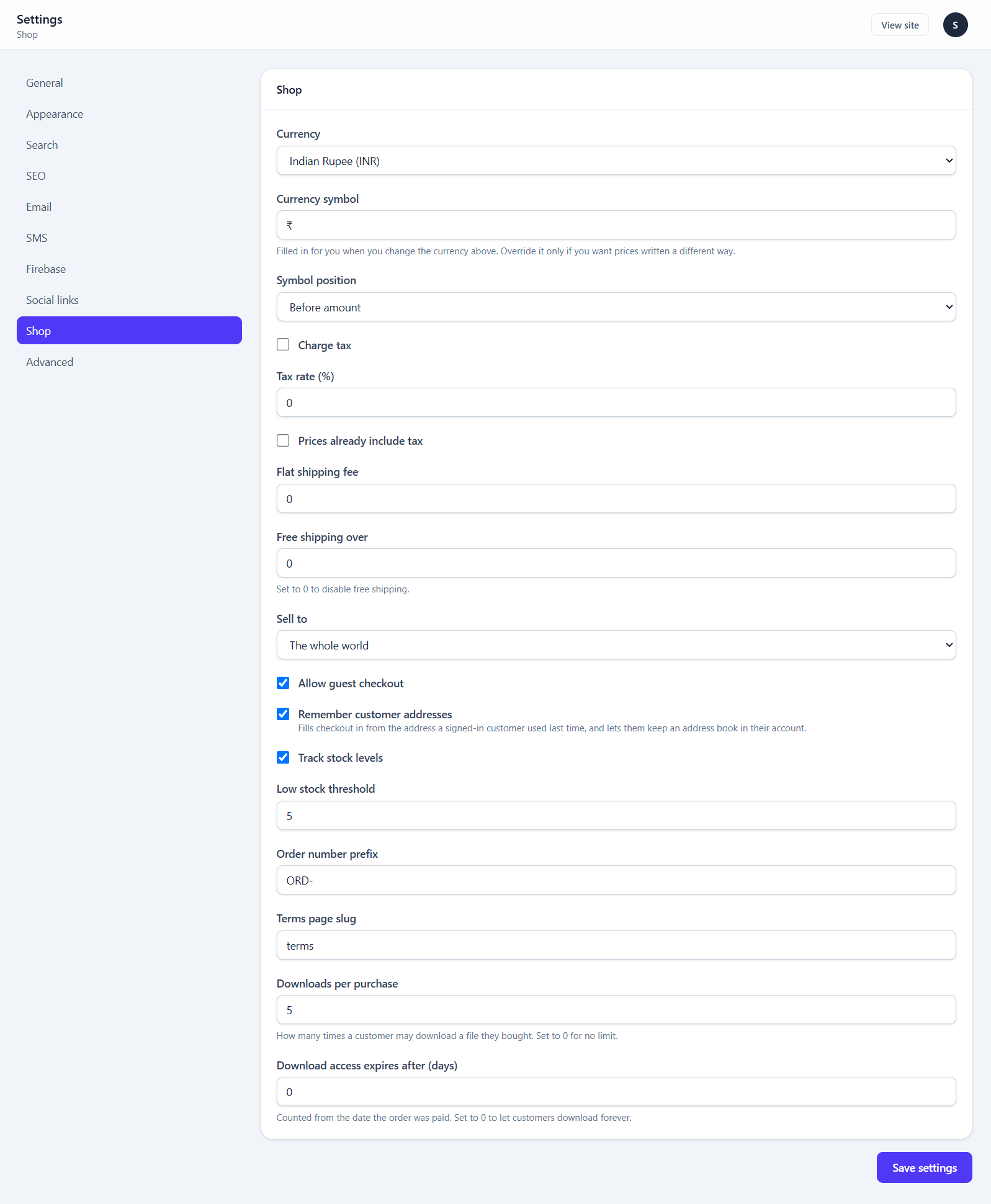
| Field | Type | Default | Notes |
|---|---|---|---|
| Currency | select | USD | |
| Currency symbol | text | $ | Filled in for you when you change the currency |
| Symbol position | select | before | Before or after the amount |
| Charge tax | boolean | off | |
| Tax rate (%) | number | 0 | 0–100 |
| Prices already include tax | boolean | off | |
| Flat shipping fee | number | 0 | |
| Free shipping over | number | 0 | 0 disables free shipping |
| Sell to | select | The whole world | Switch to Only the countries I choose to limit where you take orders from |
| Countries you sell to | multi-select | none | A searchable checkbox list. Only shown when Sell to is set to the chosen-countries option. Leaving every box unticked keeps the shop worldwide |
| Allow guest checkout | boolean | on | |
| Remember customer addresses | boolean | on | Fills checkout in from the address the customer used last time, and gives signed-in customers an address book |
| Track stock levels | boolean | on | |
| Low stock threshold | number | 5 | Flags products on the list screen |
| Order number prefix | text | ORD- | |
| Terms page slug | text | terms | The page linked from the terms checkbox at checkout and registration. Shown as plain text if no published page has this slug |
| Downloads per purchase | number | 5 | 0 for unlimited |
| Download access expires after (days) | number | 0 | From the paid date. 0 = forever |
Changing currency does not convert prices
Prices are stored as integers in the currency's minor unit. Switching from INR to USD turns ₹499 into $499. See Payment gateways.
Checkout
Needs the shop module. Chooses what checkout asks the customer for. Each field is Required, Optional or Hidden. Email address and full name are always required. See Choosing the checkout fields.
| Field | Default |
|---|---|
| Phone | Optional |
| Street address | Required |
| Apartment, suite, unit | Optional |
| City | Required |
| State / region | Optional |
| Postcode / ZIP | Optional |
| Country | Required. Always required while Sell to is limited to chosen countries |
| Order notes | Optional |
Advanced
Caching, reCAPTCHA, registration and two security switches.
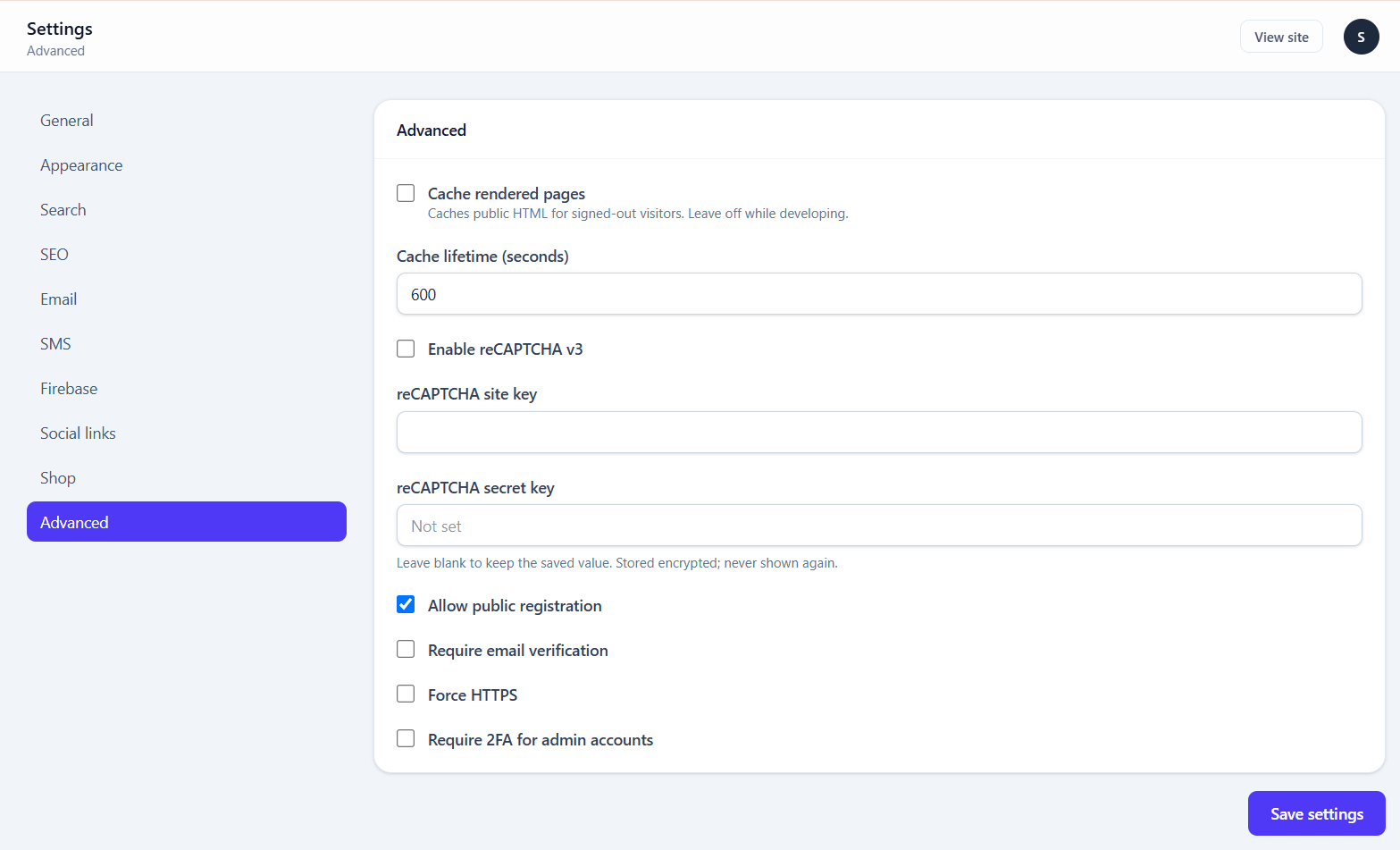
| Field | Type | Default | Notes |
|---|---|---|---|
| Cache rendered pages | boolean | off | Caches public HTML for signed-out visitors |
| Cache lifetime (seconds) | number | 600 | Minimum 10 |
| Enable reCAPTCHA v3 | boolean | off | Applies to contact, newsletter and registration |
| reCAPTCHA site key | text | — | |
| reCAPTCHA secret key | secret | — | |
| Allow public registration | boolean | on | |
| Require email verification | boolean | off | Needs working email |
| Force HTTPS | boolean | off | |
| Require 2FA for admin accounts | boolean | off | Every admin must enrol |
| Delete activity log entries after (days) | number | 45 | 0 keeps them forever. See Activity log |
How page caching works
Only the public content pages are cached: the homepage, pages, blog and shop listings, posts, products and the contact page. A page is never cached for a signed-in visitor, a visitor with items in their cart, or right after a form submission. It is also skipped when the address has query parameters other than ?page=. Each visitor still gets their own security token, so forms on a cached page submit normally.
Saving any content or setting in the admin panel clears every cached page. Orders, carts, sign-ups and form submissions do not. Pages served from the cache do not add to post and product view counts. To check whether a page came from the cache, look for the X-Page-Cache: HIT response header.
reCAPTCHA
reCAPTCHA stays off until the switch is on and both keys are filled in. Register a v3 key for your domain at google.com/recaptcha/admin. The script loads only on pages that have a protected form, and it works with any theme. Submissions scoring below 0.5 are refused. If your server cannot reach Google, the check is skipped and a warning is logged, so forms keep working.
Leave page caching off while building
A cached page does not reflect your last edit. If a change is not showing on the public site, this is the first thing to check — then clear the cache under System health.
Two worth turning on for any real site:
- Require 2FA for admin accounts — especially with more than one admin
- Force HTTPS — once your certificate is actually working, not before
Do not force HTTPS before the certificate works
You will lock yourself out of a site that now redirects to an address the browser refuses. Fix it by setting force_https back to 0 in the database, or by removing the setting row.
Where settings are stored
In the database, not in .env. Two consequences:
- They survive an update — an update's path allowlist never touches your data
- They travel in a database backup, which is why API keys are deliberately kept in
.envinstead
Values marked secret above are encrypted at rest with your APP_KEY and are never sent back to the browser once saved.