

Digital products
Files you sell: ebooks, music, templates, source code, photo packs.
The important thing to understand first is where they are not stored.
Why not the media library
The media disk is served straight off the web server. Anything on it is readable by anybody who has the URL — and the URL appears in the page source of every order.
So a payment check on a media-library file would only be as good as the secrecy of a link that is printed on the customer's own order page.
Where they actually go
storage/app/private/downloads/A disk with no public address at all, under a filename containing 24 random characters. The only route to one is:
/account/orders/{order}/download/{item}which checks, in order, that:
- The order belongs to the signed-in customer
- The order has been paid for
- The line item belongs to that order
- The customer is inside the download limit
Files are always sent as an attachment with an explicit application/octet-stream, so a browser can never render one on your site.
Uploading one
On the product screen, set Type: Digital, then upload the file.
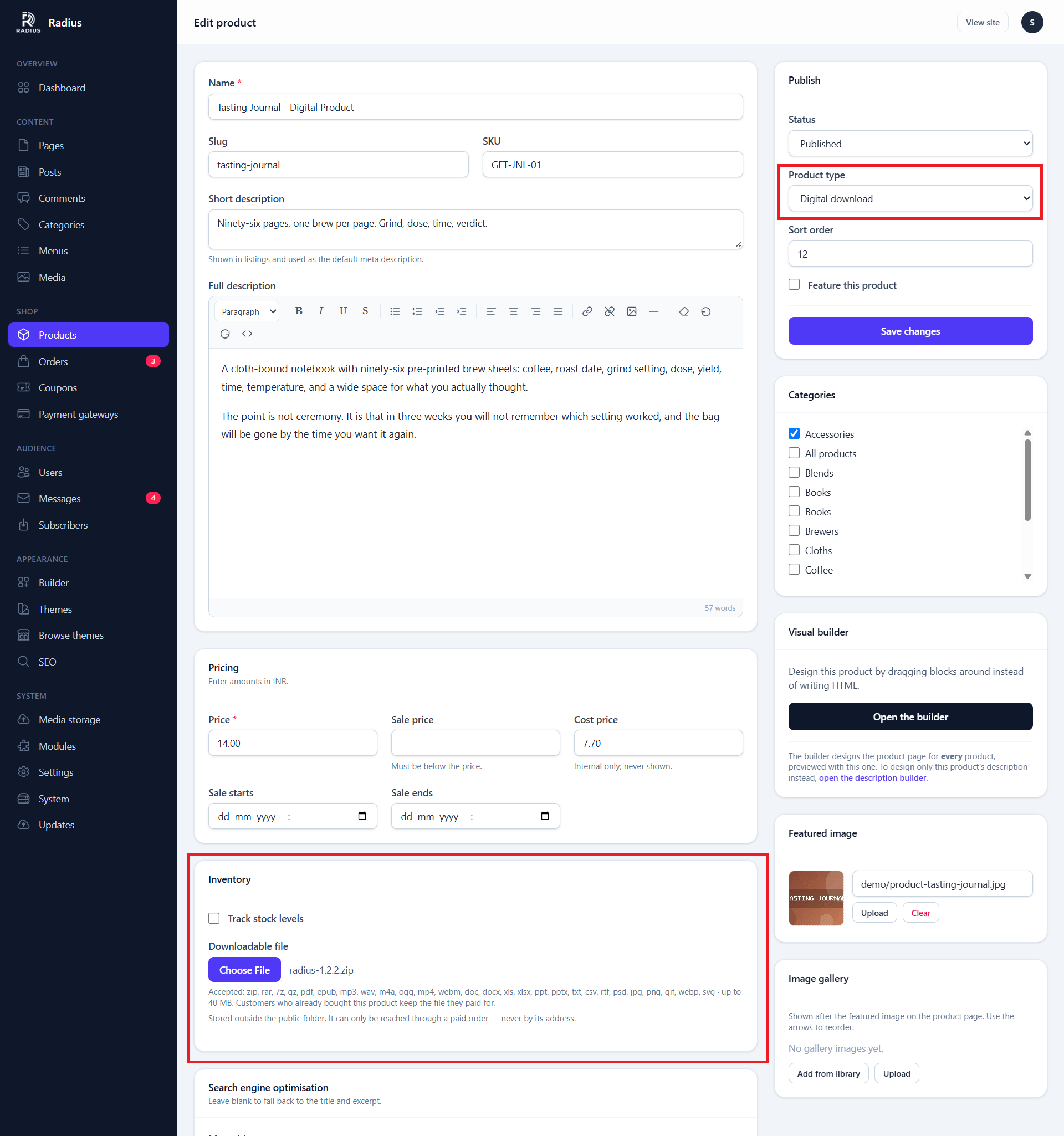
The path is never typed or posted, so a tampered form cannot aim a product at another file on the server.
| Field | Notes |
|---|---|
| File | Up to 256 MB by default (CMS_DOWNLOADS_MAX_KB) |
| Download limit | Overrides the site default for this product |
| Requires shipping | Turn this off so checkout skips the address |
Accepted extensions
zip rar 7z gz pdf epub
mp3 wav m4a ogg mp4 webm
doc docx xls xlsx ppt pptx
txt csv rtf psd
jpg jpeg png gif webp svg
Source code is accepted
A ZIP full of PHP is a normal thing to sell, so downloads are not scanned for code the way media uploads are — nothing here is ever executed or rendered. The name still has to match the contents.
Download limits
Two settings, both under Settings → Shop:
| Setting | Default | Meaning |
|---|---|---|
| Downloads per purchase | 5 | How many times a customer may download. 0 = unlimited |
| Download access expires after | 0 | Days from the paid date. 0 = forever |
A per-product limit overrides the site default.
Five is a reasonable default: enough for a customer who changes laptop, few enough that a shared link stops working quickly.
Replacing a file
Upload a new one. The old file stays in place if anyone has bought it — every order keeps the exact file it paid for.
That is deliberate. A customer who bought version 1 gets version 1 when they come back, rather than a file they did not buy.
There is no "notify buyers of an update" feature
If you ship a new version and want existing customers to have it, that is an email you send yourself.
What the customer sees
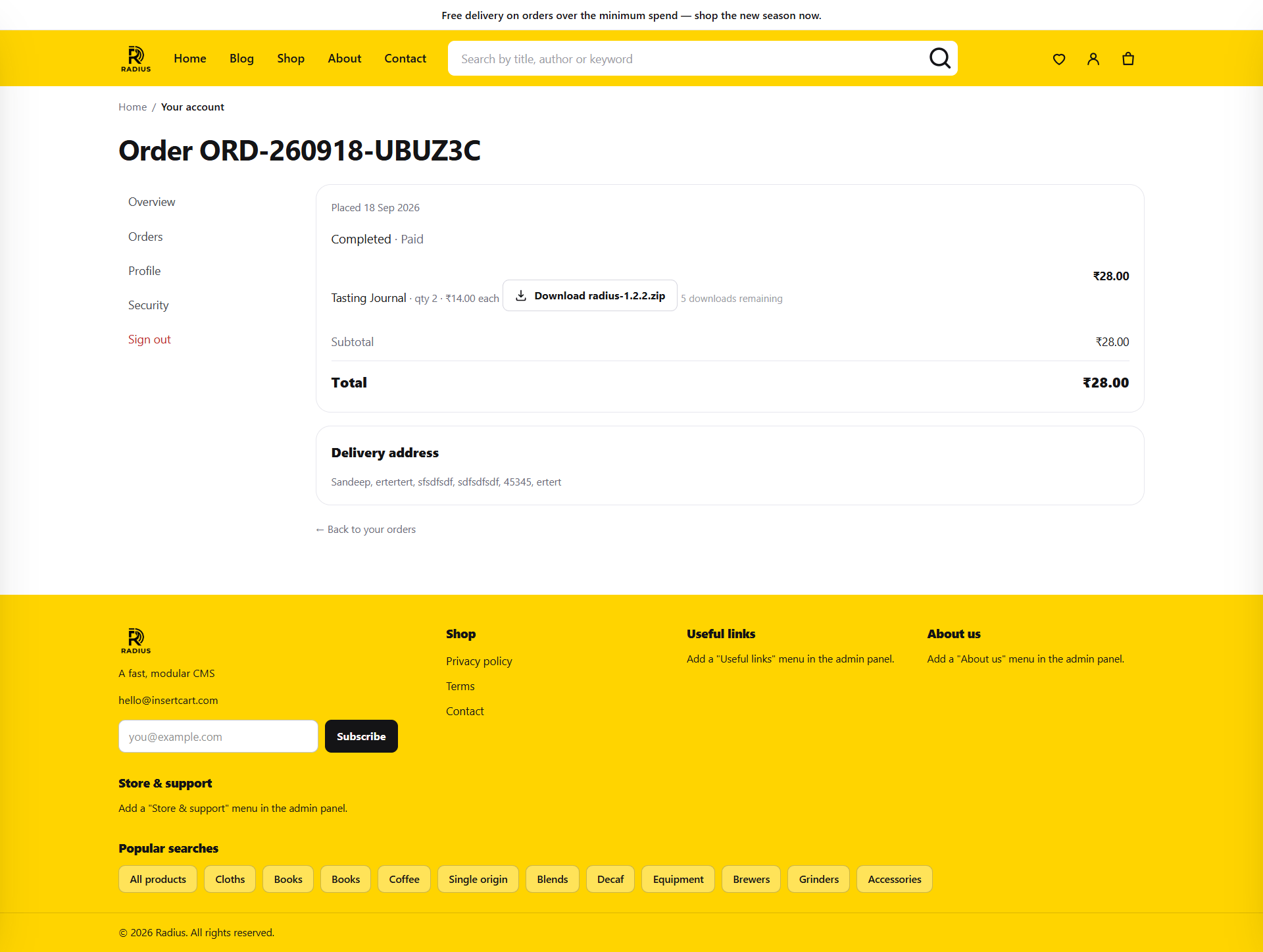
The download button appears once the order is paid. Remaining downloads are shown alongside it.
Download requests are rate limited to twenty per minute — a purchased file is often large, and a paid account should not be able to turn the download route into a way of running up your bandwidth bill.
Guest checkout and digital products
A guest has no account, so cannot reach the account area, so cannot reach the download link.
If you sell files, either:
- Require registration (Settings → Shop → Allow guest checkout off), or
- Make sure your order confirmation email gives the customer what they need
This catches people out. Test it by buying something as a guest.
Moving storage elsewhere
CMS_DOWNLOADS_DISK in .env points the downloads disk at another filesystem.
If you point it at S3, keep the bucket private
The entire arrangement depends on the files having no public URL. A public bucket undoes every check described on this page.
Existing sites are migrated automatically
Any digital file still sitting in the public uploads folder from an older version is moved to private storage and deleted from the public one the first time you run php artisan migrate.