

Users & roles
One account table serves both the admin panel and the storefront: one login flow, one two-factor challenge. The admin panel adds a role check on top. Users is a core module.
| Screen | Route | Minimum role |
|---|---|---|
| User list | /admin/users | Administrator |
| New user | /admin/users/create | Administrator |
| Edit user | /admin/users/{id}/edit | Administrator |
| Two-factor setup | /two-factor/setup | Own account |
| Customer account area | /account | Customer |
This whole section is administrator-only
Anything that can create an account, change a password or clear somebody's second factor is a way to become another user. An editor cannot reach these screens even by typing the URL.
Roles
| Role | Can do |
|---|---|
| Administrator | Everything: settings, users, themes, modules, payment gateways, updates |
| Editor | Content only — pages, posts, categories, comments, menus, media, products, orders |
| Customer | No admin access at all. Signs in to the storefront for orders and downloads |
There are no custom roles. The line between administrator and editor is drawn at anything that changes what the site's code does, rather than what it says: themes are Blade and therefore executable, modules change which routes exist, and gateway credentials are secrets.
Managing users
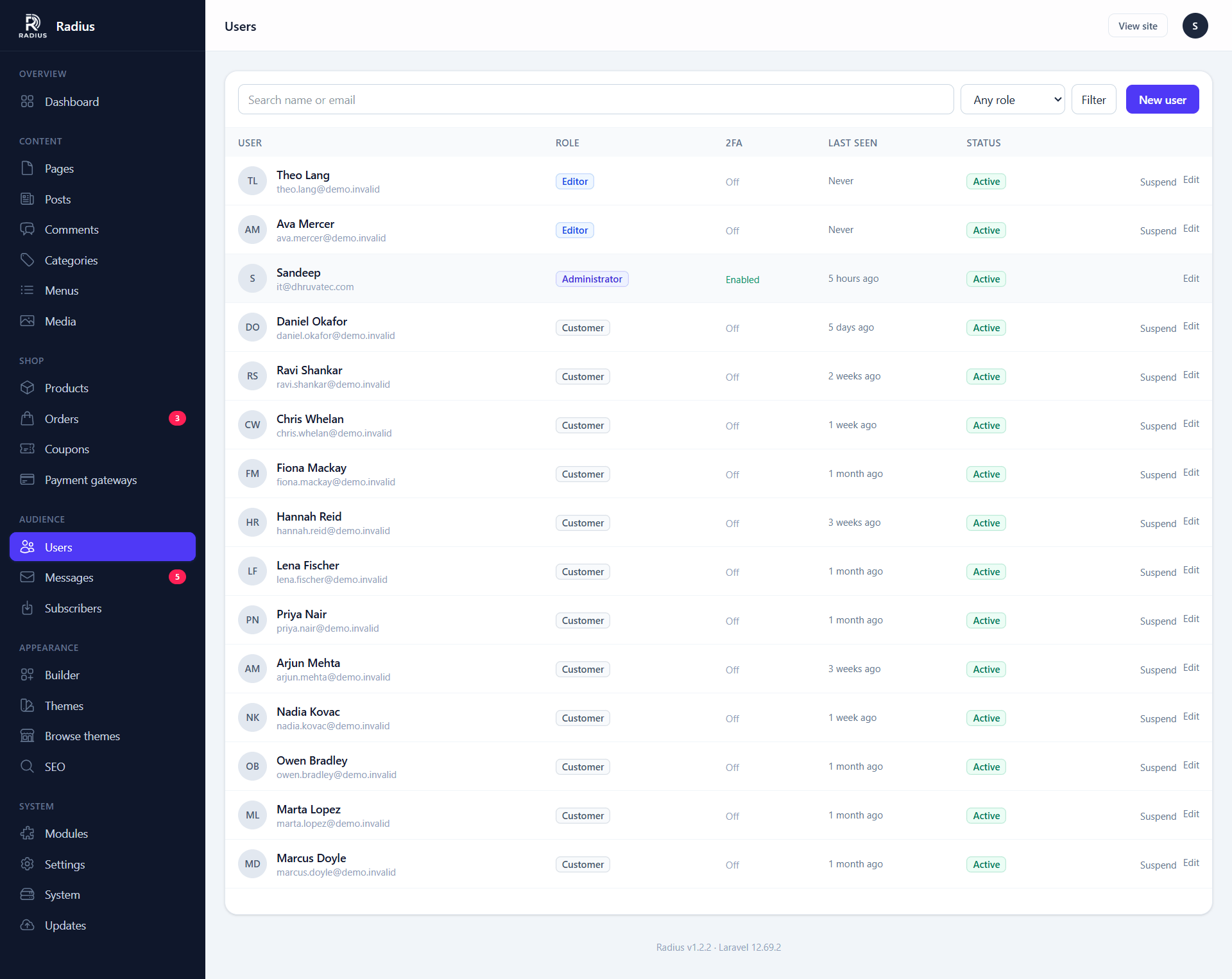
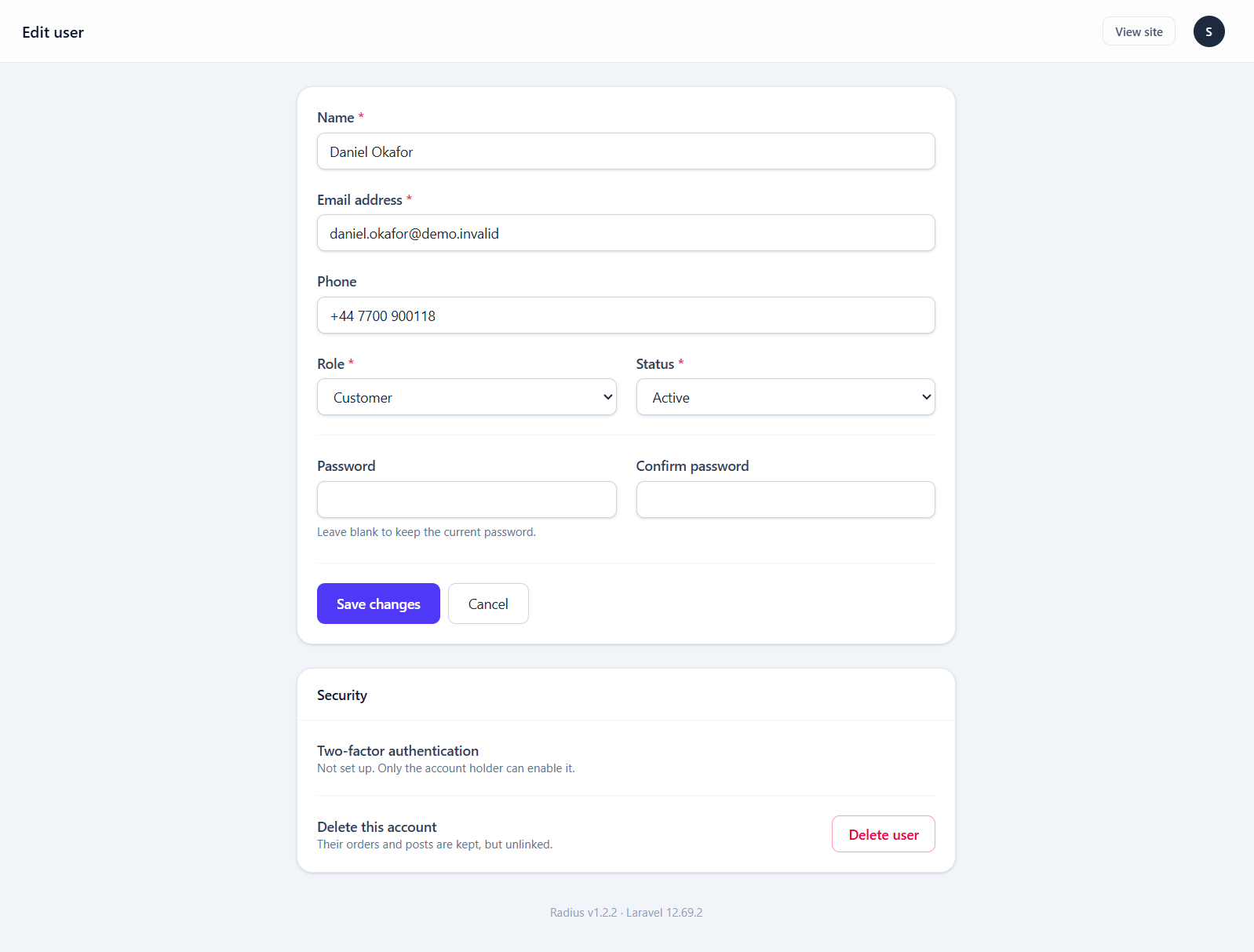
| Action | Notes |
|---|---|
| Create | You set the initial password; there is no invitation email |
| Change role | Takes effect on their next request |
| Deactivate | Blocks sign-in without deleting anything they authored |
| Reset two-factor | Clears their second factor so they can enrol again |
| Delete | Permanent. Content they authored stays, attributed to a deleted user |
When someone loses their authenticator
Deactivating is not the fix — Reset two-factor is. It clears the secret and the recovery codes, and the next time they sign in they are asked to enrol again.
Confirm who is asking
This is the single most useful thing for an attacker to talk you into. A request to clear someone's second factor should be verified through a channel that is not the email address on the account.
Two-factor authentication
Time-based codes (TOTP), compatible with any authenticator app. Turn it on from the profile menu → Two-factor auth.
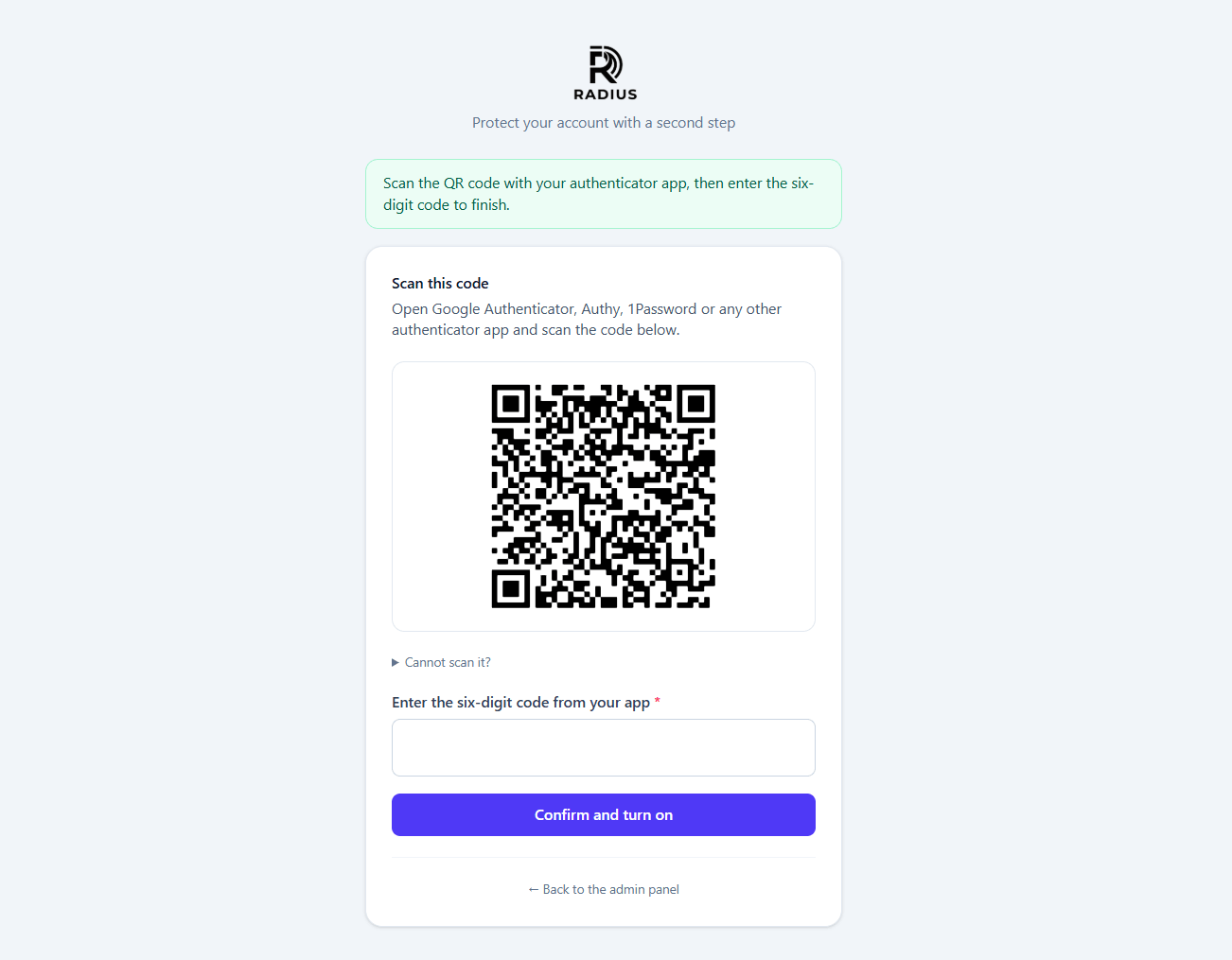
How it works, and why it is worth knowing: the password check establishes the session but marks it unconfirmed, and every subsequent request is held at the challenge until a valid code is entered. A session that never passes the challenge can reach nothing.
Secrets and recovery codes are encrypted at rest with your APP_KEY.
Recovery codes
You get eight, and each works exactly once. Store them somewhere that is not this site — a password manager, or printed. Regenerate them from the same screen if they have been exposed; regenerating invalidates every previous code.
Requiring it
Settings → Advanced → Require 2FA for admin accounts forces every administrator to enrol before they can reach anything else. Worth turning on for any site with more than one administrator.
Customer accounts
Customers register on the storefront, not here. Public registration is controlled by Settings → Advanced → Allow public registration, and Require email verification on the same screen decides whether they must confirm their address first.
With verification on, a new customer is signed in but held on a "Verify your email" screen until they click the link in the email. The screen has a Resend verification email button, and the link expires after an hour. Staff accounts are never held. Verification needs working email (see Settings). If sending fails, the account is still created and the error is logged.
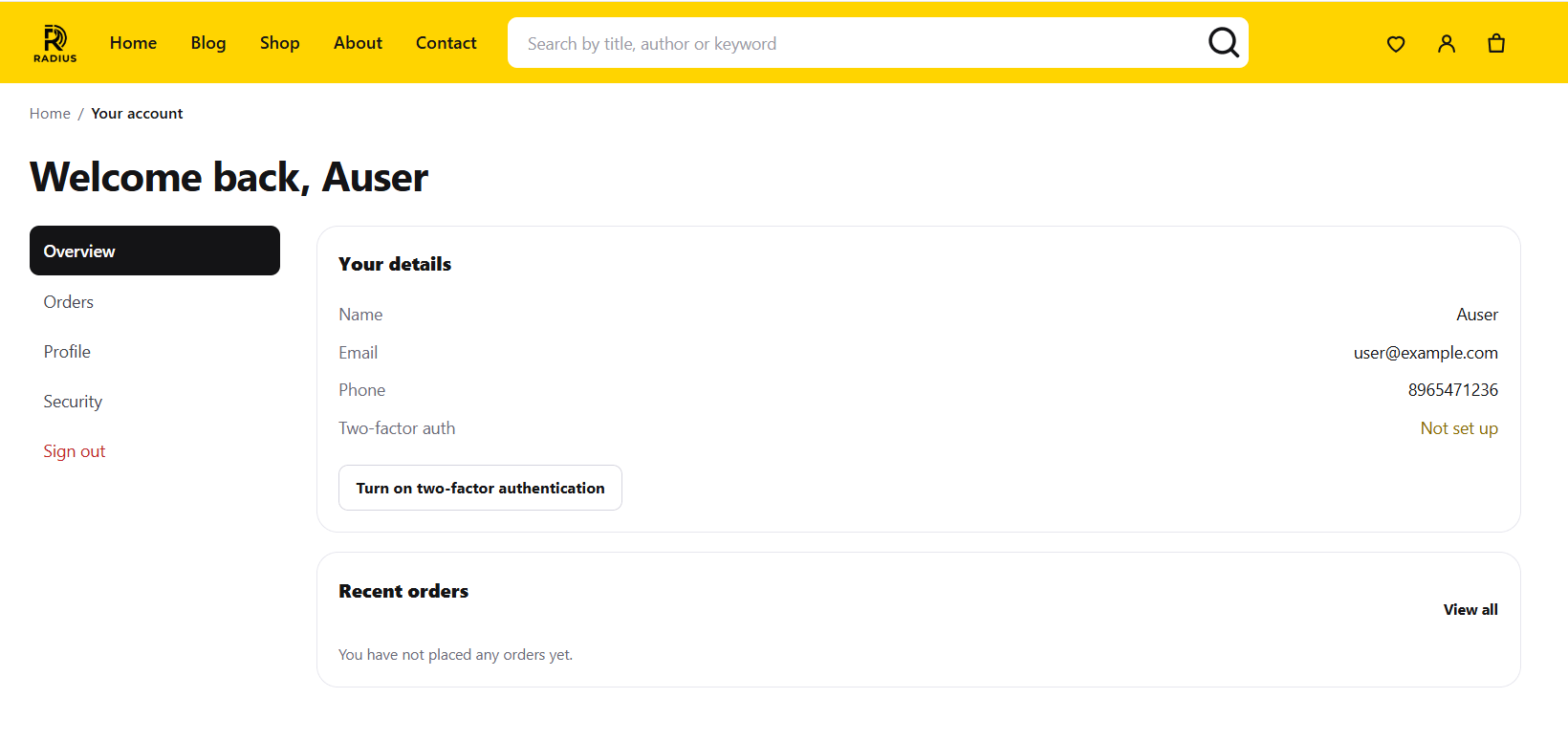
The account area gives a signed-in customer:
| Route | Shows |
|---|---|
/account | Their dashboard |
/account/profile | Name, email, password |
/account/orders | Their order history — shop module only |
/account/orders/{order} | A single order, with any download links |
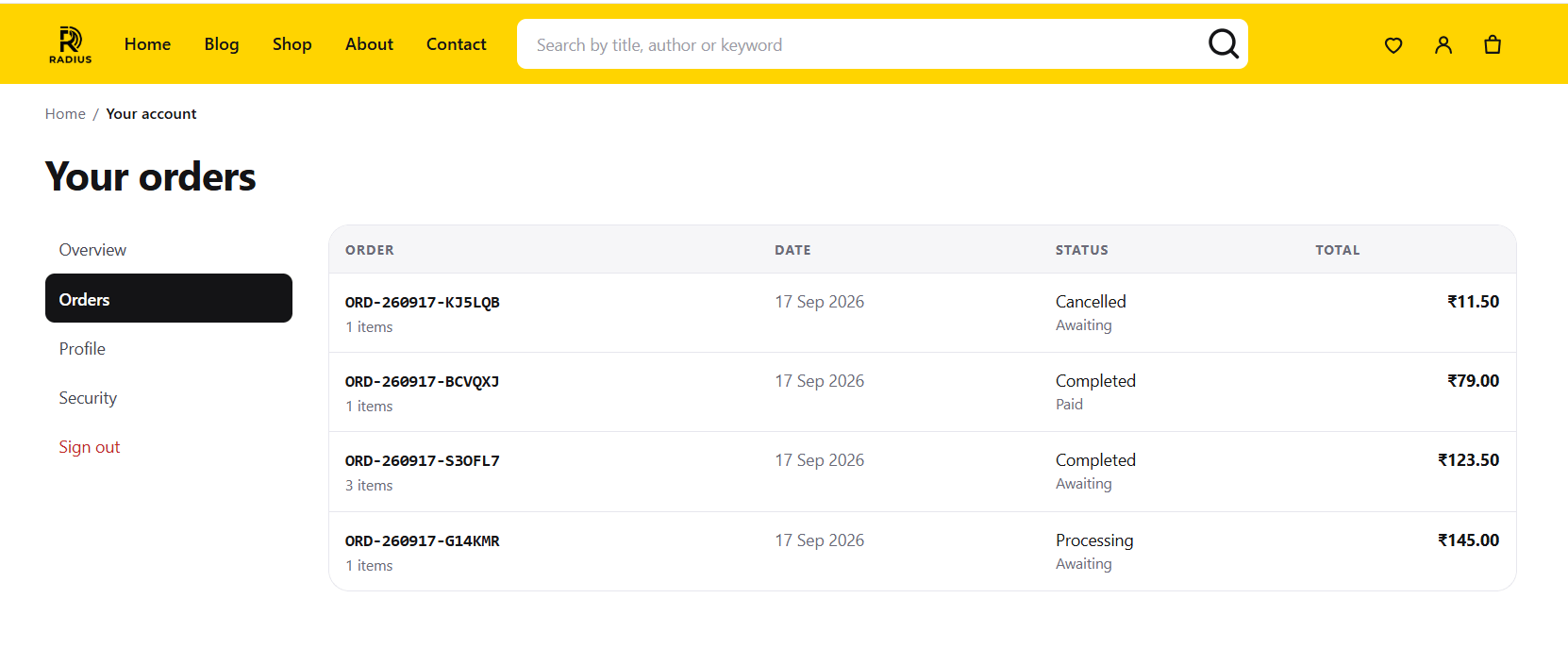
Order numbers are unguessable, and every order route checks that the order belongs to the signed-in customer, so changing a number in the address bar reaches nothing.
Guest checkout
Settings → Shop → Allow guest checkout lets someone buy without registering. They get an order confirmation email but no account, and therefore no order history.
Digital products and guest checkout
A guest cannot sign in, so they cannot reach a download link protected by the account area. If you sell files, either require registration or make sure your confirmation email carries what the customer needs.
Password resets
/forgot-password emails a signed, expiring link. It depends entirely on Settings → Email working — test that before you need it.
Reset requests are rate limited to five per minute.