

Products & stock
The shop is an optional module that depends on the payments module — a shop with no way to take money is not a working shop, so switching payments off switches the shop off too.
| Screen | Route | Minimum role |
|---|---|---|
| Product list | /admin/products | Editor |
| New product | /admin/products/create | Editor |
| Edit product | /admin/products/{id}/edit | Editor |
| Public shop index | /shop | Public |
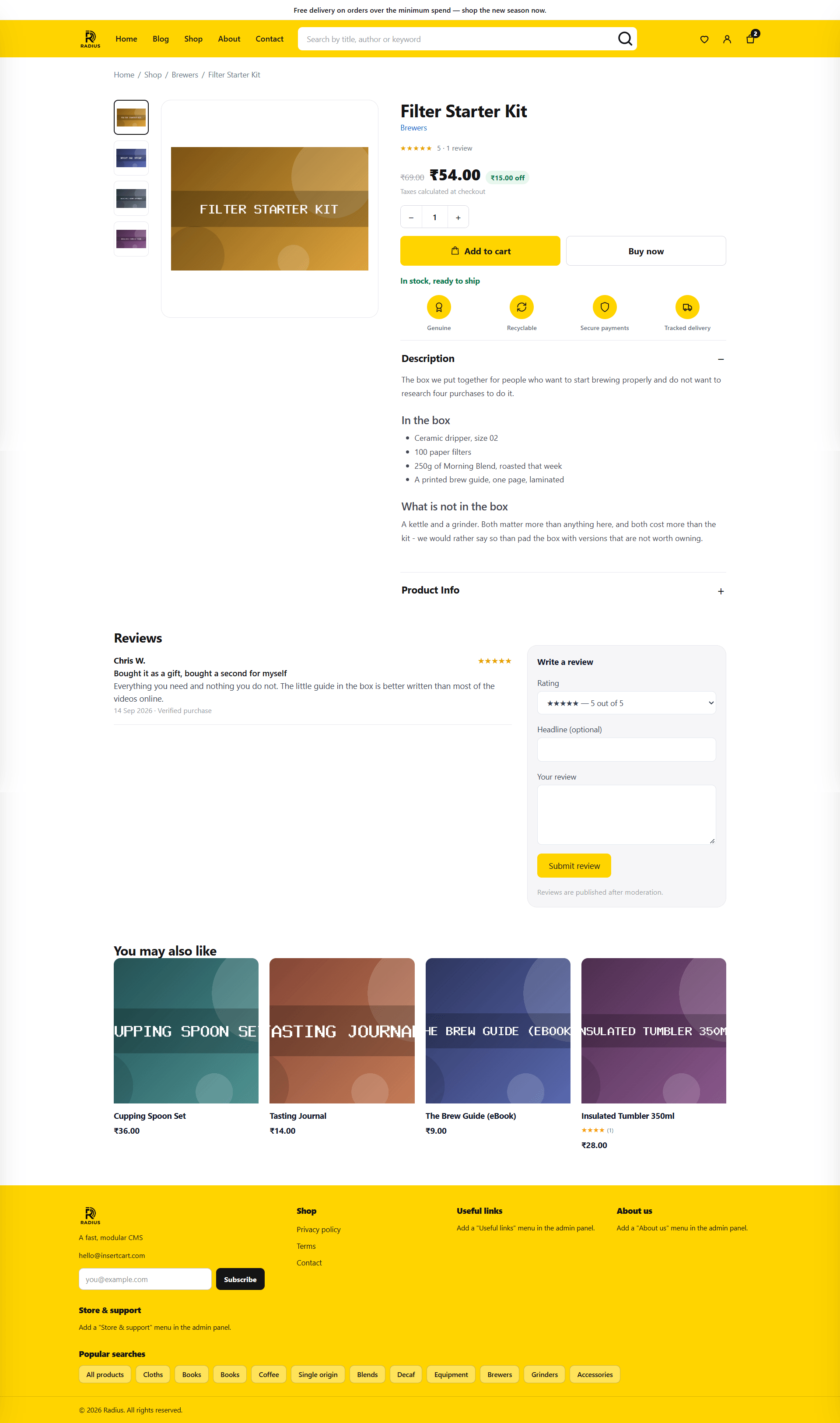
| Public product page | /shop/{slug} | Public |
Before you add products
Set Settings → Shop first. Currency in particular: prices are stored in the currency's minor unit, so changing currency later does not convert anything — ₹499 becomes $499. See Settings → Shop.
The product list
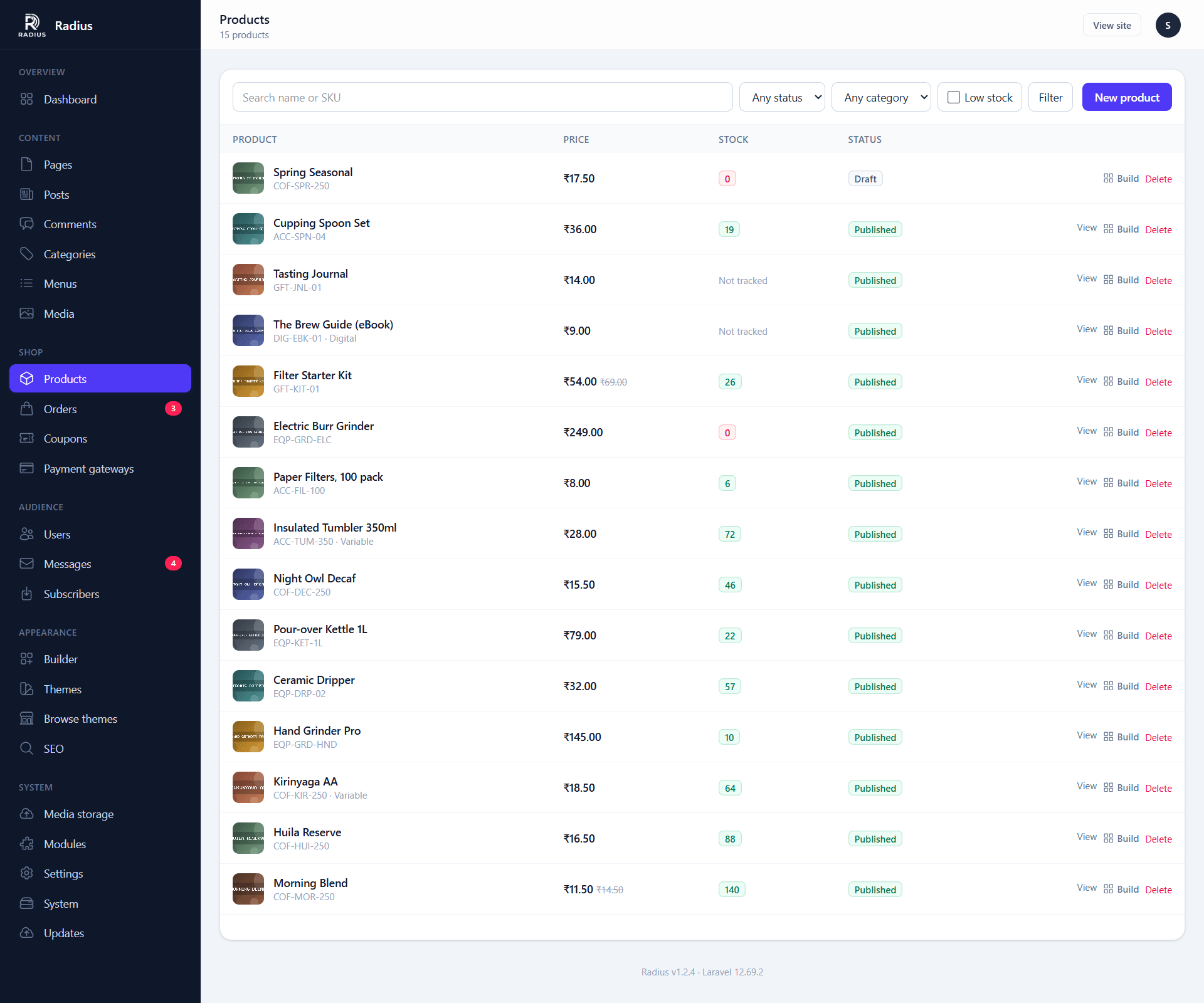
Filter by category, status and stock state. Low-stock products are flagged against the threshold from Settings → Shop.
Adding a product
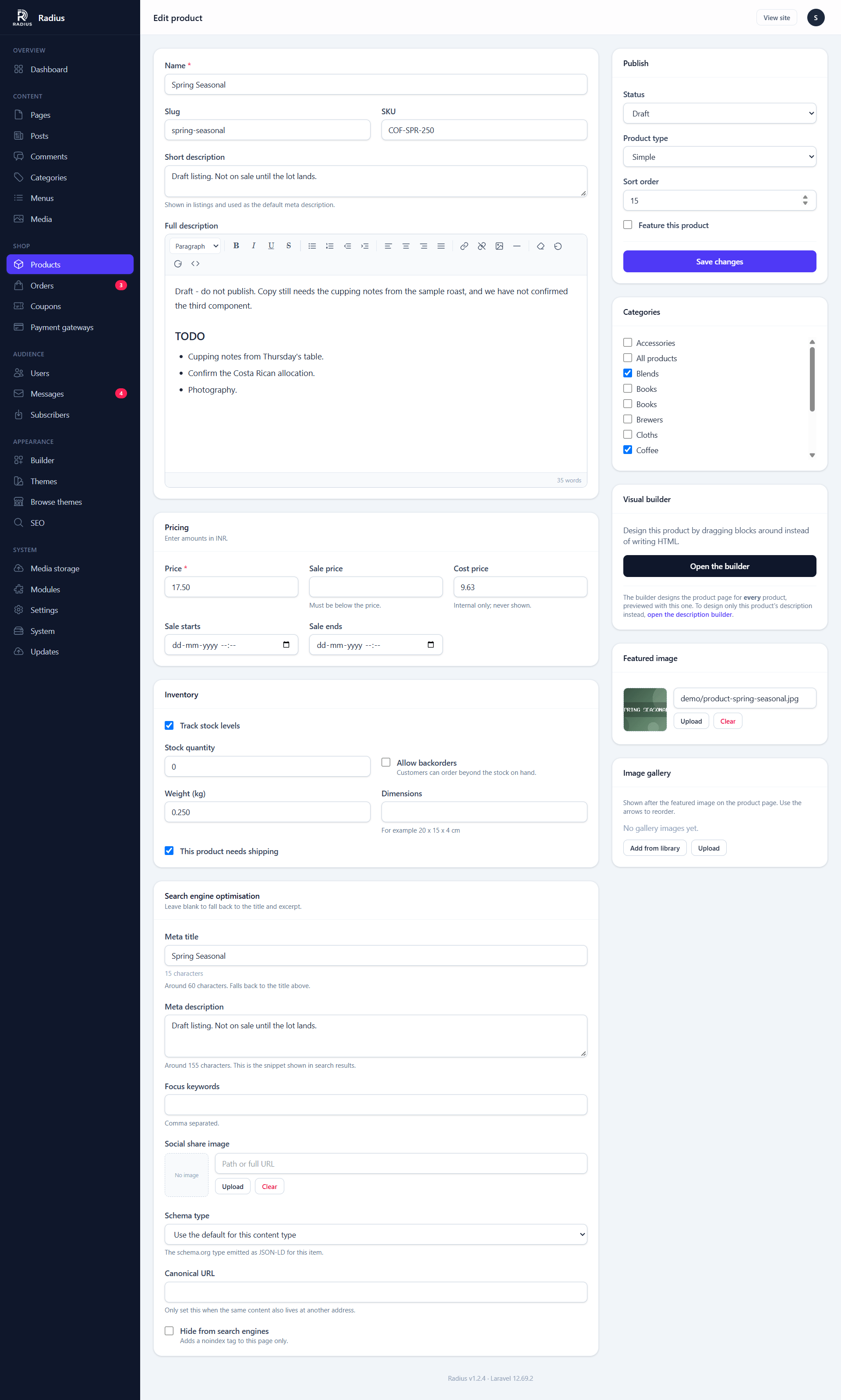
Basics
| Field | Notes |
|---|---|
| Name | Also the default meta title |
| Slug | From the name; changing it on a live product breaks links |
| Description | Rich text, or build it with the visual builder |
| Short description | Shown near the Add to cart button and in listings |
| Categories | Shared with the blog — see Categories |
| Featured image | The main image on the product page and in product lists |
| Image gallery | Extra images shown after the featured image. Add them from the library or upload several at once, and use the arrows to reorder |
| Status | Draft, published, or scheduled |
Viewing the product
Once a product is saved and published, a View button appears in the top bar, left of View site, and opens its shop page in a new tab. A draft or archived product shows the button greyed out instead, since it has no public page yet.
Pricing
| Field | Notes |
|---|---|
| Price | The normal price |
| Sale price | Optional. Shown struck through against the normal price |
| Sale starts / ends | Optional window. Outside it, the normal price applies |
| Tax class | Only if tax is on in Settings → Shop |
Money is stored as integers
Prices are held as whole units of the currency's minor unit — cents, paise — never as decimals. That is why a thousand line items still total exactly right, where floating-point arithmetic would have drifted. You type 4.99; it is stored as 499.
Inventory
| Field | Notes |
|---|---|
| SKU | Yours to define. Must be unique if set |
| Track stock | Off means always purchasable |
| Stock quantity | Decremented when an order is placed |
| Backorders | Allow purchases at zero stock |
| Low stock threshold | Overrides the site-wide default for this product |
Stock is decremented inside the order transaction. Two customers racing for your last unit cannot both succeed — the second one's order fails rather than overselling.
Shipping
Weight and dimensions, plus a Requires shipping switch. Turn that off for services and digital goods so checkout does not ask for an address or add a shipping fee.
Variants
A product with options — size, colour — has variants, each with its own price, SKU and stock.
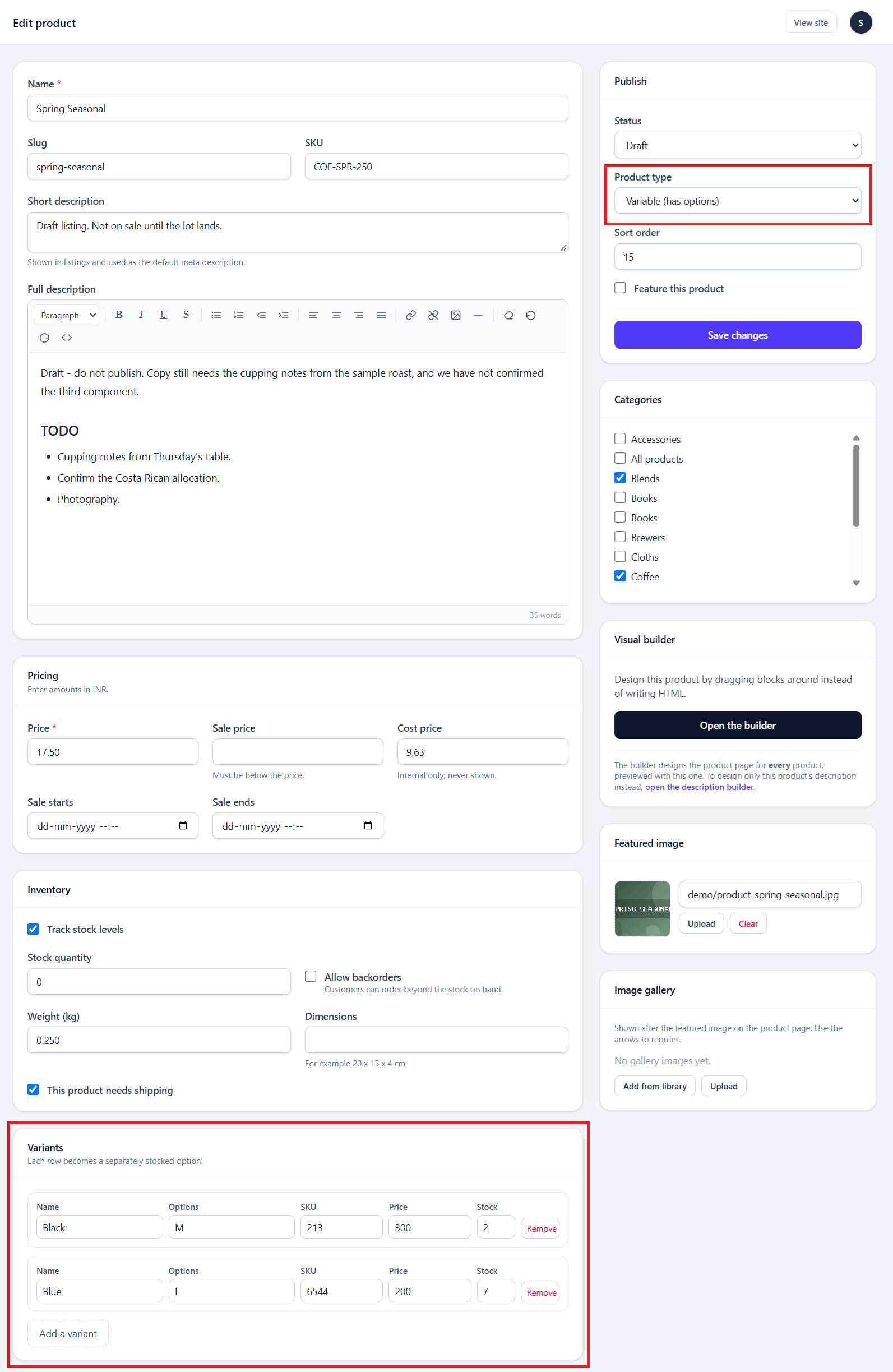
Define the options and their values, then set price and stock per generated combination. A variant with no price of its own inherits the product's.
Stock is tracked per variant, which is the point: Medium can be sold out while Large is not.
Adding an option to a live product
Adding a third option to a product that already has variants regenerates the combinations. Existing variants keep their stock where the combination still exists, and new combinations start at zero.
Reviews
Customers can review products. Reviews arrive unapproved and are moderated alongside comments. Submission is rate limited to five per minute.
The product page shows the average of approved reviews only.
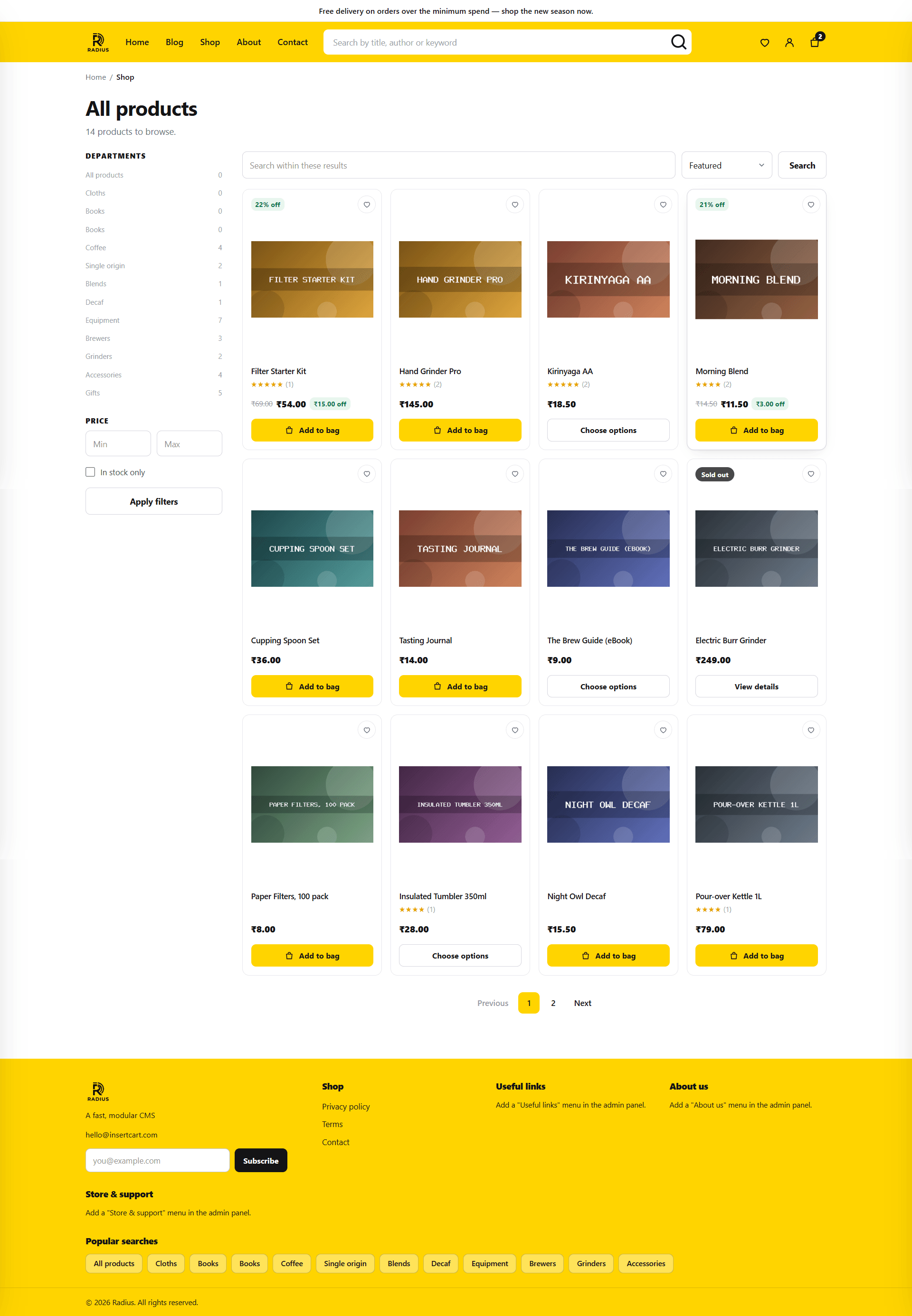
The public shop
| Route | Shows |
|---|---|
/shop | The product index, paginated |
/shop/category/{slug} | Products in a category |
/shop/{slug} | A single product |
/cart | The cart |
/checkout | Checkout |
The cart
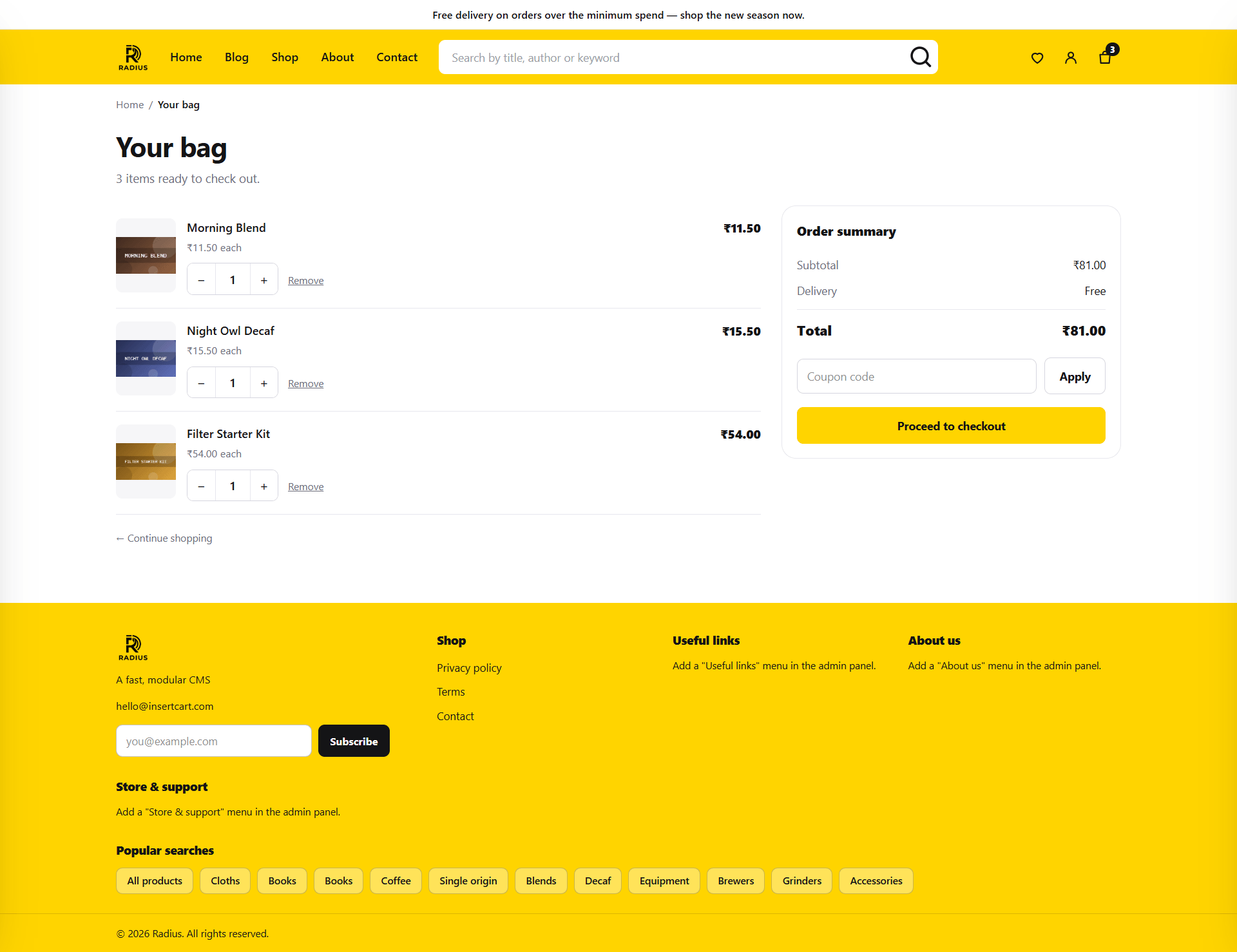
Prices are snapshotted when an item is added. If you change a price while something sits in a customer's cart, they pay what they were shown.
Every total is then recalculated on the server at checkout. The browser displays prices; it never gets to decide them.
Checkout
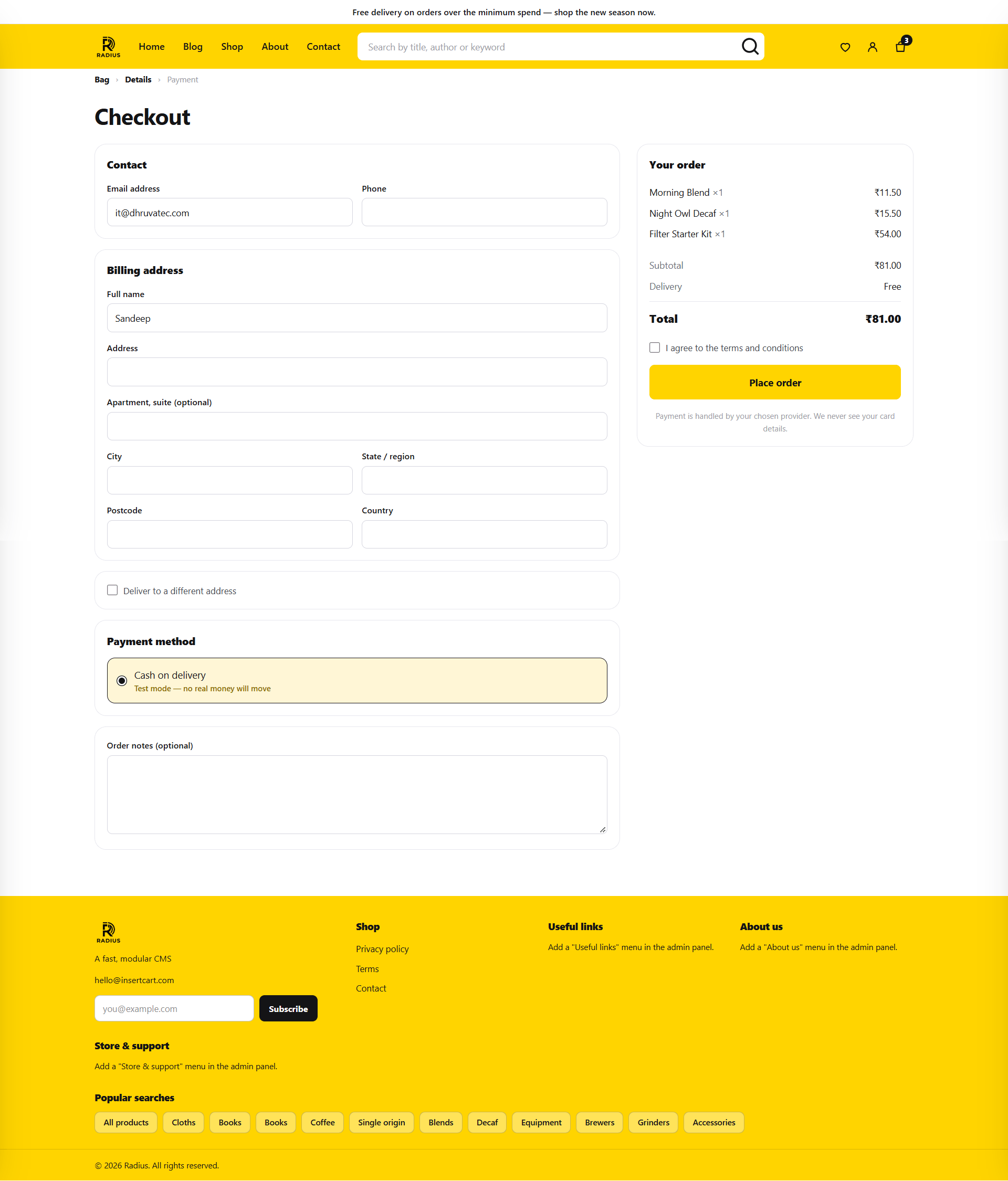
Guest checkout is controlled by Settings → Shop → Allow guest checkout.
After the customer picks a payment method they are handed to the gateway. See Payment gateways for what happens next, and why a redirect back from a gateway is never taken as proof of payment.
Next
- Digital products — selling files safely
- Orders & coupons
- Payment gateways