

Requirements
Radius runs on ordinary shared hosting. There is no Docker, no Node on the server, and no build step to run after uploading.
Server
| Requirement | Minimum |
|---|---|
| PHP | 8.2 or newer |
| MySQL | 5.7 or newer |
| MariaDB | 10.3 or newer |
| Web server | Apache with mod_rewrite, or nginx |
| Disk | ~150 MB for the application, plus room for uploads |
PHP extensions
All of these are standard and present on almost every host:
pdo_mysql · mbstring · openssl · tokenizer · json · curl · fileinfo · zip · gd · xml · ctype
gd does more work here than you might expect: uploaded photos are re-encoded to strip metadata, and thumbnails are generated at three sizes. Without it, image uploads fail.
Writable paths
The installer needs to write to these, and Radius keeps needing them afterwards:
storage/
bootstrap/cache/
themes/
public/
.env
On most shared hosts these are already writable. If they are not, 755 on directories and 644 on .env is usually enough; use 775/664 only if your host runs PHP as a different user than the one owning the files.
You do not have to check any of this by hand
The setup wizard's first screen tests every item above on the actual server and refuses to continue until the failures are fixed.
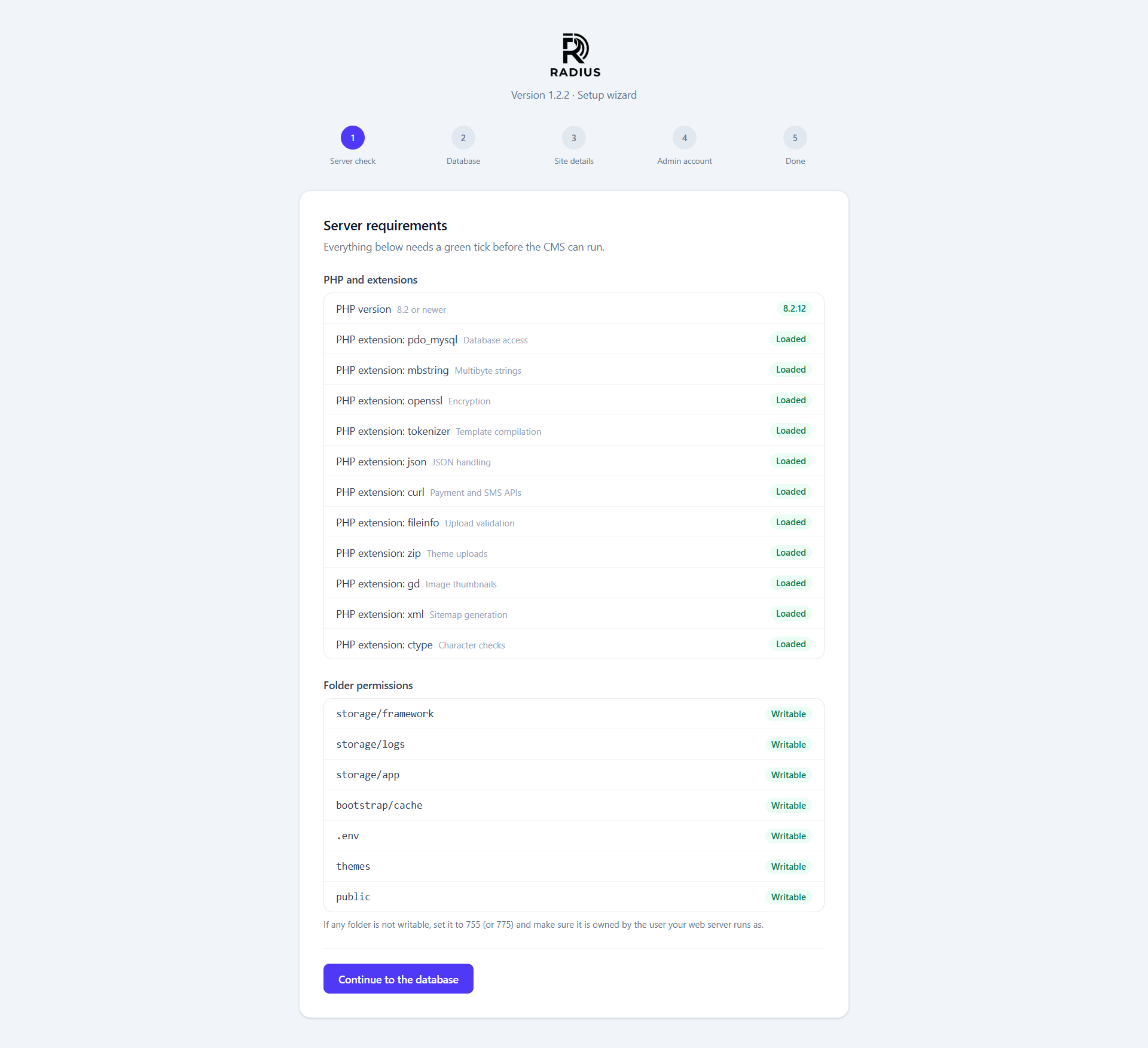
After installing, the same checks live at System → System so you can re-run them after a hosting change. See System health.
Recommended, not required
| Why | |
|---|---|
Document root pointed at public/ | Nothing outside public/ is then served at all. See Security |
| HTTPS certificate | Sessions, logins and payment returns all assume it |
PHP memory_limit 256 MB | Image processing and update extraction are the peaks |
PHP upload_max_filesize ≥ 10 MB | Matches the media library's own default limit |
post_max_size ≥ upload_max_filesize | A smaller value silently truncates uploads |
| A cron entry for the scheduler | Only needed if you use scheduled posts or the daily update check |
After changing php.ini
Restart the web server, not just PHP on the command line. They can load separate configurations, and System → System reports what the web server actually sees.
Checking the cron entry
If you want scheduled posts to publish themselves and the daily update check to run, add one entry:
* * * * * cd /path/to/your/site && php artisan schedule:run >> /dev/null 2>&1Radius works without it. You simply have to publish scheduled posts by hand and press Check for updates yourself.